How to Diagnose a Local SEO Traffic Drop: A 7-Step Guide for 2026

Rohit Nandan
Founder & Lead Digital Marketing Consultant
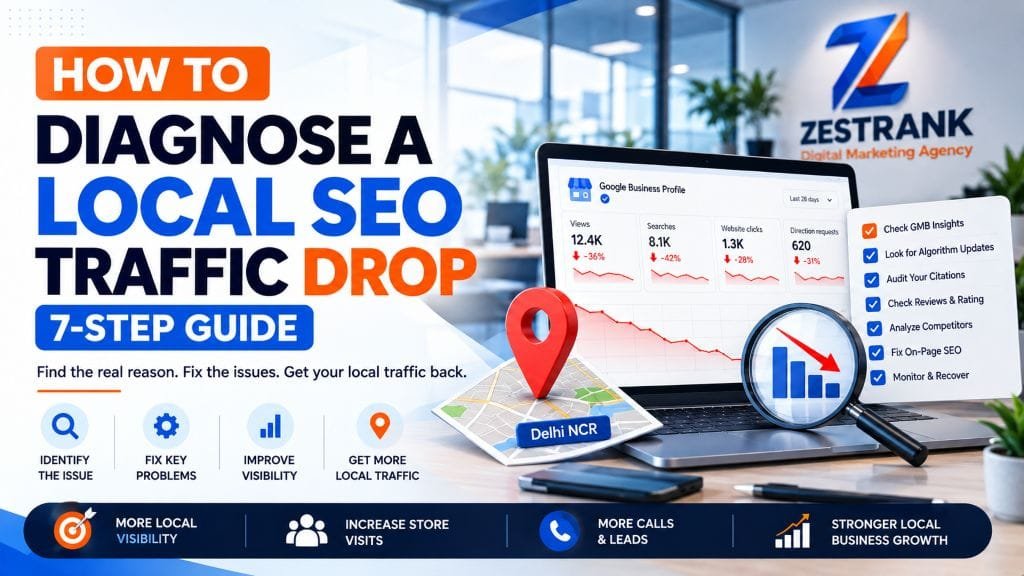
Quick answer: To diagnose a local SEO traffic drop, first confirm the drop is real, then date it and compare it with Google’s update calendar. Next, split the loss by channel: Google Business Profile actions, map pack visibility, organic website clicks and AI-answer impressions. Check for self-inflicted causes (a suspended profile, a stray noindex tag, broken tracking) before blaming an algorithm. Fix whatever touches calls and enquiries first, and don’t rewrite pages until an update has finished rolling out.
If your phone has gone quiet and your Search Console graph is sloping downhill, the urge to change everything at once is strong. Resist it. Google’s September 2026 spam update only finished on 8 October, after more than thirteen days, far longer than any other spam update this year. The March and May core updates are also still visible in many ranking charts. A lot of Delhi NCR business owners are looking at a dip right now and blaming the wrong cause.
This guide is the order we work in when a local business says “our traffic dropped.” It treats your Google Business Profile as seriously as your website, because for a clinic, salon or service business, a phone call matters more than a pageview. Still choosing where to spend? Read our comparison of local SEO vs Google Ads first.
Where a Local Traffic Drop Actually Hides
“Traffic” means four different things for a local business, and each has its own place to look.
| Where the drop hides | What you notice | Where to check |
|---|---|---|
| Map pack and Business Profile | Fewer calls, direction requests and “near me” visibility | Business Profile Performance, rank checks from several localities |
| Organic website | Fewer clicks to service and location pages | Search Console Performance report |
| AI answers | Impressions steady or rising, clicks falling | Search Console, manual query checks |
| Your measurement | One report shows a fall, but leads don’t | GA4, call tracking, CRM or the front desk |
The fourth row is the one people skip. Sometimes your traffic didn’t fall. Your reporting did.
Step 1: Confirm the Drop Is Real
Before you diagnose anything, make sure there is something to diagnose.
- Compare like with like. Use the same weekdays and the same length of period, and set it against last year, not just last month. Festive season, wedding season, exam season and monsoon all move local demand in Delhi NCR, depending on your industry.
- Know what Google counts. Business Profile views count unique viewers once per day, and “calls” means taps on the call button, not connected calls. Google also changed how it counts direction requests to ignore repeat taps, cancellations and spam, as its Performance help page explains. A fall in views with steady calls and directions usually isn’t a real problem.
- Ask the people who answer the phone. Count actual enquiries, bookings and WhatsApp chats for the same period. If those are steady, you have a reporting question, not a ranking one.
Step 2: Date the Drop and Match It to Google’s Update Calendar
Write down the exact day your numbers started sliding. Then compare it with the dates Google lists on its Search Status Dashboard:
- March 2026 spam update: 24 March, under a day
- March 2026 core update: from 27 March, about 12 days
- May 2026 core update: from 21 May, about 12 days
- June 2026 spam update: from 24 June, about two days
- August 2026 spam update: from 18 August, about two and a half days
- September 2026 spam update: 24 September to 8 October
Search Engine Roundtable documented ranking movement in three windows during the September rollout: 25 to 27 September, 30 September and 4 to 6 October. Google hasn’t confirmed those windows, and it hasn’t said what the update targeted. If your losses began inside one of them, the timing is consistent with the update. That’s a lead, not proof.
Two warnings. A spam update is algorithmic and sends no notification, whereas a manual action appears in Search Console’s Manual actions report, so check that first. If your drop matches no update date, look inward: a website release, a plugin update, a Business Profile edit, or a new person in your accounts. Keep a dated change log; Search Console’s annotations feature helps.
Step 3: Split the Loss in Search Console
Open the Performance report and compare the weeks around your drop. Slice it four ways:
- Brand vs non-brand. A fall in queries containing your business name points to awareness or reputation. A fall in service queries like “physiotherapy near me” or “CA firm in Gurugram” points to lost visibility.
- Page type. Compare service pages, location pages, the homepage and blog posts. If blogs are stable while money pages fall, the trouble is in the pages that earn you revenue.
- Device. A mobile-only fall hints at speed, layout or a broken call button.
- Clicks, impressions and position together. Any one alone misleads.
Then read the pattern:
| Pattern | Likely meaning |
|---|---|
| Impressions down, position down | You lost rankings |
| Impressions flat, position stable, clicks down | Something above you now takes the click: ads, an AI answer, a stronger competitor or weak titles |
| Impressions up, clicks down | Often AI surfaces. Google added a generative AI report to Search Console in June 2026, which industry coverage treats as directional, not precise |
For urgent searches like “dentist open now”, the map pack still does most of the work, so check Step 4 before blaming AI Overviews. Also remember that results vary with the searcher’s place, device and history, so your own test search may not match your report.
Step 4: Audit Your Google Business Profile and Map Pack
For most local businesses, this is where the money is. Google says local results are mainly based on relevance, distance and prominence, and that there is no way to pay for a better local ranking. Work through these in order:
- Is the profile live and verified? If Google suspended it, use the official appeals tool and don’t create a new profile for the same business. Appeals can only be submitted once, so attach evidence such as registration, a licence, a tax certificate or a utility bill, with the name and address matching the profile exactly. Google’s guide to fixing suspended profiles walks through it.
- Did anything change? Check name, category, address, hours, phone and website. Changing your name or moving address after verification may trigger re-verification.
- Check “Collected info.” In some regions and categories, Google may call, text or WhatsApp your verified number to confirm details, and your replies can update your profile. A staff member answering an automated call is a real way for hours to change without anyone noticing. Review it under Edit profile, as described in Google’s edit guide.
- Look at your primary category. Google says to choose the one that best describes your main business and not to use categories as keywords. Drifting to a vague category can cost relevance.
- Compare reviews. Check review count, rating, recency and reply rate against your top three competitors. Google lists reviews and links as part of prominence.
- Re-check rankings from the right places. Distance is a factor, so checking from your own office tells you very little. Test from the localities where customers search, such as Sector 62, Indirapuram or Golf Course Road, or use a geo-grid tool.
- Read the Performance tab properly. Look at calls, directions, website clicks and messages, plus the Searches breakdown, which updates at the start of each month and can take up to five days to appear.
Step 5: Rule Out Technical and Tracking Faults
The least glamorous causes cost the most because they’re silent.
- Indexing blocks. A noindex tag carried over from staging, a robots.txt rule, a wrong canonical, or a redesign without 301 redirects can remove money pages overnight. Test key URLs with the URL Inspection tool.
- Googlebot access. Make sure Googlebot isn’t blocked on the website URL listed on your Business Profile.
- Mobile experience. Plugin updates and new chat widgets often break or slow mobile pages.
- Thin location pages. Locality pages that differ only by place name are what Google’s spam policies call doorways.
- Tracking. A theme update that removes the GA4 tag, a consent banner that blocks it, or a swapped call-tracking number can create a “drop” that exists only in a report. If Search Console clicks are steady but GA4 sessions fell, suspect measurement first. Our guide to server-side tracking for GA4 and Google Ads explains why. If paid leads fell too, see why your PPC campaign isn’t converting.
Step 6: Look at the Results Page and Your Competitors
Search your five most valuable queries in an incognito window, from the area your customers search in. Note who holds the map pack, who is new, and what sits above you: ads, an AI summary, a directory or an aggregator. Then compare yourself with your two closest competitors on review growth, photo freshness, service-page depth and recent links.
Often you didn’t fall. They climbed. AI answers are part of that picture too, and our AI search optimization page explains how brands earn mentions there.
Step 7: Prioritise Fixes by Revenue Impact
You will often find several causes at once. Fix them in the order that protects revenue:
| Priority | Cause | Revenue risk | First move |
|---|---|---|---|
| 1 | Suspended or unverified profile; wrong phone, hours or website | Immediate: calls and directions stop | Correct details, appeal with evidence |
| 2 | Noindex, robots or redirect errors | High: money pages disappear | Fix, request re-indexing, monitor |
| 3 | Broken tracking or call tracking | Hidden: you can’t judge any other fix | Repair before changing anything else |
| 4 | Thin service or location pages after an update | Medium to high, slower to recover | Add local proof, real photos and FAQs once the rollout ends |
| 5 | Review gap against competitors | Medium, compounding | Build a review-request routine and reply to every review |
| 6 | Falling clicks on informational queries | Lower for transactional searches | Add clear answer blocks and strengthen entity signals |
Then hold your nerve. Core updates take weeks to roll out and rankings keep moving while they do, so make the high-priority repairs, log them, and wait for the update to finish and the numbers to settle before rewriting content.
An illustrative example. A physiotherapy clinic in Noida sees calls fall by about a third in late September. Search Console shows service-query clicks are flat, so the website isn’t the culprit, but Business Profile calls and directions are down. Under Collected info, the team finds Sunday hours were changed to “closed” after a staff member answered an automated confirmation call. Fixing the hours is a data repair, not a penalty recovery. The scenario is invented to show the method, not to promise a result.
When to Bring in a Specialist
If you’ve worked through all seven steps and the cause is still unclear, or you’ve found several overlapping causes, a structured audit saves weeks. ZestRank’s local SEO services cover Business Profile recovery, citation and NAP clean-up and local content, and our team in Noida, Delhi and Gurugram can review your numbers with you. You can start with our free SEO tools or book a strategy session. Before you hire anyone, our guide to questions to ask a marketing agency is worth reading.
Final Thoughts
A local traffic drop feels like an emergency, but diagnosis is mostly elimination: confirm, date, split, check the profile, rule out technical faults, and fix what costs revenue first. Many “algorithm penalties” turn out to be a profile edit, a tracking break or a competitor who simply worked harder.
Frequently Asked Questions
How long does it take to recover from a local SEO traffic drop?
It depends on the cause. Technical fixes and Business Profile corrections often show movement in four to eight weeks, while competitive keywords can take several months. A simple data error, like wrong hours, can recover much faster once it’s fixed.
Why did my Business Profile views drop while calls stayed the same?
Google counts views as unique viewers once per day and has changed how it counts some interactions. If calls and directions are steady, the view drop is usually counting, not demand.
Can a spam update hurt a local business?
Yes, if your site uses tactics covered by Google’s spam policies, such as doorway-style location pages, link schemes or scaled low-value content. Spam updates are algorithmic and send no notice, so match your drop date to Google’s Status Dashboard and check the Manual actions report for human-issued penalties.
Are AI Overviews causing my local traffic drop?
Only if your data shows it: steady or rising impressions with falling clicks, mostly on informational queries. For “near me” or “open now” searches, rule out profile and ranking problems first.
Should I rewrite my website after a Google update?
Not straight away. Let the rollout finish, fix technical and profile faults, then improve the pages that lost the most revenue with real local proof, not extra keywords.
How do I know if it’s a penalty or an algorithm change?
A manual action appears in Search Console’s Manual actions report and message center. An algorithmic change leaves no message, so you infer it from timing, page patterns and what changed on your site.
About the Author: Rohit Nandan
Founder & Lead Digital Marketing ConsultantRohit Nandan is ZestRank's Founder & Lead Digital Marketing Consultant and YouTube SEO Expert, with over 15 years of experience diagnosing and running search campaigns for businesses across Delhi NCR. He personally reviews ZestRank's client projects, with deep expertise in technical SEO infrastructure and YouTube optimization. Have a question about this post? Message Rohit directly on WhatsApp.
Free Consultation
Ready to see how these exact parameters can be configured to expand your physical business discovery indices?
Request Strategy Call WhatsApp Strategist