WhatsApp Business Marketing for Small Business in India (2026)

Rohit Nandan
Founder & Lead Digital Marketing Consultant
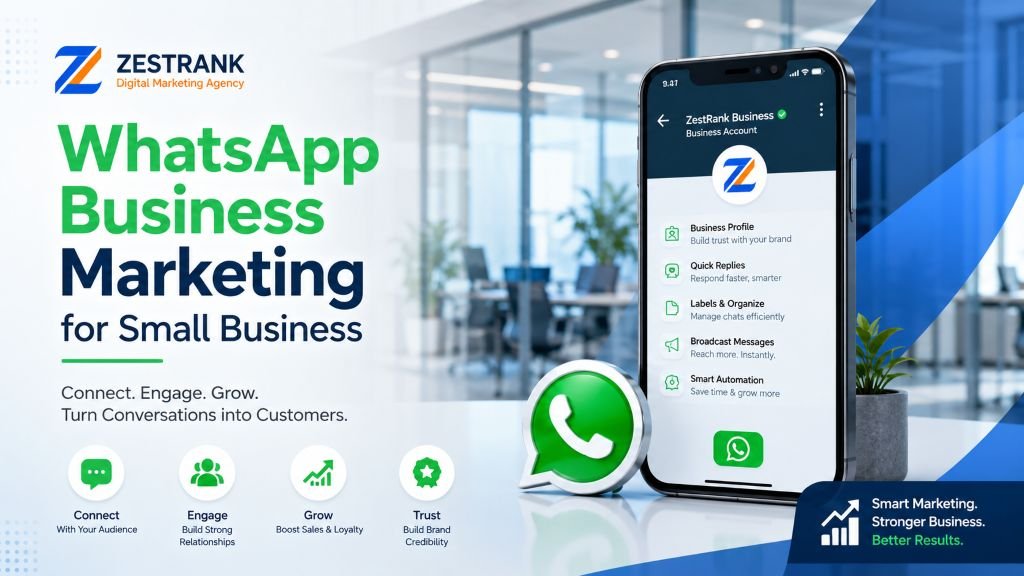
Quick answer: WhatsApp Business marketing means using the free WhatsApp Business app (or the paid WhatsApp Business API for larger volume) to share catalogs, send order updates, run broadcast promotions, and handle customer queries directly through the platform most Indian customers already use daily. With hundreds of millions of WhatsApp users in India and message open rates far higher than email, it’s one of the highest-ROI, lowest-cost marketing channels available to small businesses. As of 2026, a new “Coexistence” feature also lets businesses run the free app and the paid API on the same number simultaneously, removing what used to be an all-or-nothing upgrade decision.
If your customers are in India, they’re almost certainly on WhatsApp — and they check it far more often than email or even Instagram. Yet most small businesses still treat WhatsApp as just a personal chat app rather than a genuine marketing and sales channel. This guide covers how to actually use it as one, from free basic setup to the more advanced API-based approach larger businesses use.
Why WhatsApp Marketing Works So Well in India {#why-india}
WhatsApp messages see significantly higher open rates than email — often cited in the 90%+ range — simply because people check WhatsApp constantly throughout the day, in a way they don’t check email. Combined with near-universal smartphone WhatsApp usage across India, even in Tier 2 and Tier 3 markets, this makes it one of the most direct, low-friction ways to reach customers who already trust the platform.
WhatsApp Business App vs. WhatsApp Business API: What’s the Difference? {#app-vs-api}
| Feature | WhatsApp Business App (Free) | WhatsApp Business API (Paid) |
|---|---|---|
| Cost | Free | Per-conversation pricing — roughly ₹0.7-0.9 for a marketing conversation, a fraction of that for utility/authentication messages, and free for service replies within a 24-hour customer-initiated window |
| Best for | Small businesses, single phone number | Businesses needing automation, multiple agents, CRM integration |
| Broadcast limit | Up to 256 contacts per list | Effectively unlimited, with proper opt-in |
| Automation | Basic (greeting, away messages, quick replies) | Full chatbot/automation capability, in-chat forms |
| Catalog | Yes, built-in | Yes, with richer integration options |
| Can I run both at once? | Yes, as of 2026’s Coexistence feature — see below | Yes, on the same number as the app |
Most small businesses should start with the free WhatsApp Business app and only add the API once message volume or automation needs genuinely outgrow it — and thanks to Coexistence, that’s no longer an either/or decision. Exact API pricing varies by provider and message category and changes periodically, so treat the figures above as directional rather than a quote.
Step 1: Set Up Your WhatsApp Business Profile Properly {#steps}
- Download the WhatsApp Business app (separate from regular WhatsApp) and register your business number.
- Complete your profile fully: business name, category, address, website, business hours, and a clear description.
- Add a profile photo that’s instantly recognizable — your logo, for most businesses.
Step 2: Build Your Product/Service Catalog
The Catalog feature lets customers browse what you offer directly inside WhatsApp, without needing to visit a separate website.
- Add clear photos, names, prices, and short descriptions for each product or service.
- Organize into logical categories if you have more than a handful of items.
- Keep the catalog updated — outdated pricing or out-of-stock items create a poor experience and erode trust.
Step 3: Set Up Automated Messages
- Greeting message: Sent automatically to new contacts or after a period of inactivity — introduce your business briefly and set expectations for response time.
- Away message: Sent outside business hours, so customers know when to expect a reply rather than assuming they’ve been ignored.
- Quick replies: Pre-written responses to common questions (pricing, hours, location) that you can send with a couple of taps instead of retyping each time.
Step 4: Build and Use Broadcast Lists
Broadcast lists let you send a message to multiple contacts at once, with each recipient seeing it as an individual message (not a visible group).
- Segment your broadcast lists by customer type or interest where possible, rather than sending identical promotions to everyone.
- Always get explicit, documented opt-in before adding someone to a broadcast list — see the compliance section below for what this actually requires under Indian law, not just WhatsApp’s own policy.
- Use broadcasts for genuinely valuable updates: new arrivals, limited-time offers, appointment reminders — not constant, low-value promotional noise.
Step 5: Use WhatsApp for Customer Service, Not Just Promotion
Some of the highest-value WhatsApp marketing isn’t promotional at all — it’s responsive customer service that builds trust and repeat business.
- Respond to inquiries quickly; WhatsApp creates an expectation of near-real-time response that email doesn’t.
- Send order confirmations, shipping updates, and appointment reminders directly through WhatsApp rather than relying solely on SMS or email — these fall under WhatsApp’s cheaper “utility” message category, not the pricier “marketing” one, which matters if you’re on the API.
- Use WhatsApp Status (similar to Instagram Stories) for behind-the-scenes content, new arrivals, or limited-time offers to your existing contact base.
Consent and Compliance: What Indian Law Actually Requires {#compliance}
This is worth getting right, since it’s more specific than “don’t be spammy.”
- WhatsApp business messaging sits outside TRAI’s DLT registry and Do-Not-Call framework — those regulations govern SMS and voice calls on telecom networks, not WhatsApp, which runs on Meta’s own platform. Businesses sometimes assume DND registration protects a customer from WhatsApp marketing; it doesn’t, and the reverse is also true — being outside TRAI’s registry doesn’t mean WhatsApp marketing is unregulated.
- India’s Digital Personal Data Protection Act (DPDPA) is the framework that actually applies, requiring clear, purpose-specific, and revocable consent before sending promotional messages. In practice, this means keeping a documented record of when and how each contact opted in, and making it genuinely easy for them to opt out.
- WhatsApp’s own Business Messaging Policy requires clear, intuitive opt-in and opt-out flows independently of Indian law, and actively monitors for violations — a business can be enforced against for poor opt-in practices even before any regulator gets involved.
Building a genuinely consent-based contact list from the start isn’t just a compliance formality — it also produces a broadcast list of people who actually want to hear from you, which is where WhatsApp marketing’s high open rates come from in the first place.
When Should You Move to the WhatsApp Business API? {#when-api}
Consider adding the paid API once you experience any of these:
- You’re regularly messaging more than a few hundred contacts and the 256-contact broadcast limit is genuinely restrictive.
- You need multiple team members responding from the same number through a shared inbox.
- You want to integrate WhatsApp with your CRM, e-commerce platform, or automated chatbot flows, or want to collect information through in-chat forms rather than back-and-forth messaging.
- You need to send automated order/booking confirmations triggered by another system (website, POS, booking tool).
One thing that’s changed in 2026 and worth knowing: you no longer have to choose between the app and the API, or migrate away from everything you’ve built. Meta’s Coexistence feature lets a business run the free app and the paid API on the same number simultaneously, fully synced — your team can keep managing conversations from the familiar app interface while automated flows run through the API in parallel, with nothing duplicated or lost. This removes what used to be the biggest practical objection to upgrading.
Several Indian providers (and global platforms with India support) offer WhatsApp Business API access with varying pricing models — evaluate based on your message volume, automation needs, and how much of your messaging is marketing versus utility/service (since these are priced very differently), rather than choosing the cheapest option blindly.
Common WhatsApp Marketing Mistakes to Avoid {#mistakes}
- Messaging people without documented consent — this is the fastest way to get your number reported and banned, and increasingly a genuine compliance risk under DPDPA, beyond being simply bad practice.
- Over-broadcasting — sending promotional messages too frequently trains customers to ignore or block you.
- Treating WhatsApp like email — long, formal messages feel out of place; keep tone conversational and messages concise.
- Ignoring response time — WhatsApp’s instant nature means slow replies feel more jarring to customers than a slow email response would.
- Routing everything as a “marketing” message on the API — sending an order confirmation through the marketing category instead of the cheaper utility category needlessly inflates cost at scale.
Final Thoughts
WhatsApp Business marketing works because it meets Indian customers exactly where they already are, with a level of directness and trust that email and even social media struggle to match. Start with the free app, build genuine value through catalog and responsive service, add the API when your needs outgrow the app rather than replace it, and keep consent documented as you scale. For a look at how WhatsApp fits into the broader shifts shaping Indian digital marketing right now, see our Top Digital Marketing Trends in India for 2026, and if you’re evaluating agencies to help manage this alongside other channels, our guide on questions to ask before hiring a digital marketing agency in Delhi is worth a read first.
Want help building a WhatsApp-integrated marketing strategy?
ZestRank offers social media marketing services in Delhi that include WhatsApp Business strategy as part of a complete digital presence — alongside SEO and PPC where it makes sense for your business. Book a free strategy call and we’ll show you how to integrate WhatsApp into your existing customer journey.
Frequently Asked Questions {#faqs}
Is WhatsApp Business free to use?
Yes, the WhatsApp Business app is completely free for basic use, including catalog, automated greetings, and broadcast lists up to 256 contacts. The WhatsApp Business API, designed for larger-scale or automated use, involves paid per-conversation pricing that varies by message category and provider.
How many contacts can I message at once on WhatsApp Business?
The free app allows broadcast lists of up to 256 contacts per list, with each recipient seeing the message individually rather than in a group format. Businesses needing to reach more contacts at scale typically add the WhatsApp Business API.
Can I use WhatsApp Business marketing without an existing customer list?
You can use WhatsApp Business for customer service and respond to inbound inquiries from day one, but building an effective broadcast/marketing list requires actively collecting documented opt-in contacts — for example, through your website, in-store signage, or social media — over time.
Is WhatsApp marketing better than email marketing for small businesses in India?
For most small businesses in India, WhatsApp generally sees significantly higher open and response rates than email, given how central the platform is to daily communication. However, the two channels often work best together rather than as a strict either/or choice.
Do I have to choose between the WhatsApp Business app and the API?
Not anymore. Since the introduction of Meta’s Coexistence feature in 2026, businesses can run both the free app and the paid API on the same number at the same time, fully synchronized, rather than migrating away from one to adopt the other.
Does India’s Do-Not-Call registry protect customers from WhatsApp marketing?
No. TRAI’s DLT and Do-Not-Call framework applies to SMS and voice calls on telecom networks, not WhatsApp, which runs on Meta’s own platform. WhatsApp marketing is instead governed by India’s DPDPA consent requirements and WhatsApp’s own messaging policy.
About the Author: Rohit Nandan
Founder & Lead Digital Marketing ConsultantRohit Nandan is ZestRank's Founder & Lead Digital Marketing Consultant and YouTube SEO Expert, with over 15 years of experience diagnosing and running search campaigns for businesses across Delhi NCR. He personally reviews ZestRank's client projects, with deep expertise in technical SEO infrastructure and YouTube optimization. Have a question about this post? Message Rohit directly on WhatsApp.
Free Consultation
Ready to see how these exact parameters can be configured to expand your physical business discovery indices?
Request Strategy Call WhatsApp Strategist