Why Your Business Isn’t Showing Up in “Near Me” Searches (2026)
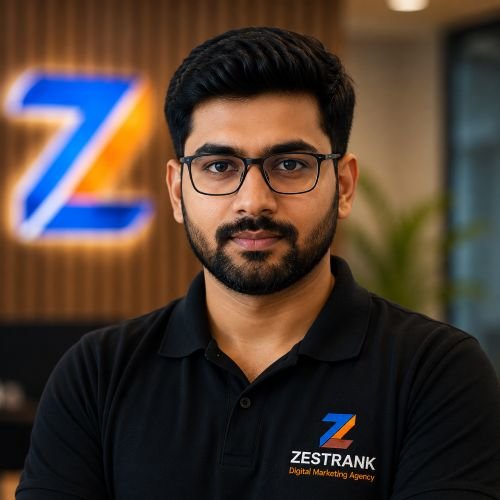
Rohit Nandan
Founder & Lead Digital Marketing Consultant
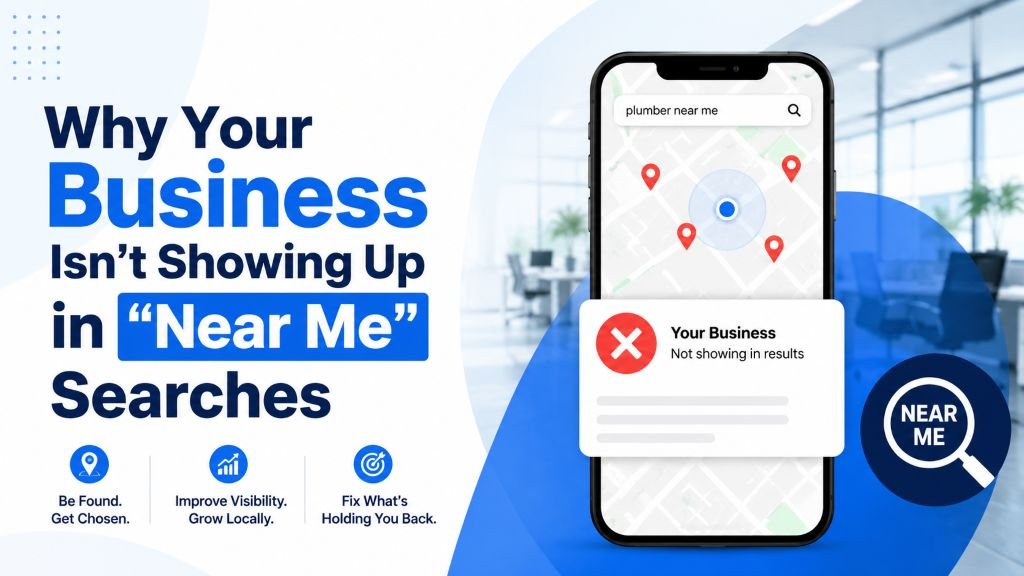
Quick answer: A business usually doesn’t show up in “near me” searches because its Google Business Profile is unclaimed, incomplete, has the wrong category, lacks consistent NAP details across the web, doesn’t have enough recent reviews, or — in some cases — has been suspended entirely. Most of these issues can be diagnosed and fixed within a few weeks through proper local SEO.
Someone nearby searches “coffee shop near me” or “plumber near me,” and your business — which has been operating in that exact neighborhood for years — doesn’t appear anywhere. Meanwhile, a competitor who opened six months ago shows up right at the top.
This is one of the most common (and most frustrating) local SEO problems small businesses face. The good news: it’s almost always caused by a specific, fixable issue — not bad luck or an unbeatable competitor.
How “Near Me” Searches Actually Work {#how-it-works}
When someone searches “near me,” Google combines their real-time location with their search term and shows businesses it considers the best match based on three factors: relevance, distance, and prominence. If you’re missing from these results, the issue usually traces back to one (or more) of the items below.
Reason 1: Your Google Business Profile Isn’t Claimed or Verified {#reasons}
This is the single most common cause. If you haven’t claimed and verified your Google Business Profile, Google has very little structured information to work with — and unverified or unclaimed listings are rarely shown in local results at all.
Fix: Search your business name on Google Maps. If you see “Own this business?” or “Claim this listing,” that’s your answer. Claim it and complete verification — most businesses are now asked to complete a live video walkthrough through the Google Maps app rather than waiting for a postcard, which has become a secondary option in many categories. Our Google Business Profile Optimization Guide covers exactly what the current video verification process requires.
Reason 2: Incomplete or Inaccurate Profile Information
A profile missing key details — hours, category, service area, photos — gives Google less confidence that you’re a strong, relevant match for the search.
Fix: Go through your Google Business Profile and fill in every available field: accurate categories, complete hours (including holidays), service areas, photos, and a detailed business description.
Reason 3: Wrong or Too-Broad Business Category
If your primary category is too generic (e.g., “Store” instead of “Mobile Phone Repair Shop”), Google may not associate your listing strongly enough with specific searches.
Fix: Choose the most specific primary category available that accurately describes your core business, and add relevant secondary categories for additional services you offer.
Reason 4: Inconsistent Business Information Across the Web
If your business name, address, or phone number appears differently across your website, Justdial, Facebook, and other directories, it weakens Google’s confidence in your listing’s accuracy.
Fix: Audit your listings on major directories and your own website footer. Make sure the name, address, and phone number match exactly, character for character, everywhere.
Reason 5: Too Few (or No) Reviews
Review count and rating are strong prominence signals. A near-me search often surfaces the businesses Google considers most trusted nearby — and that trust is heavily informed by review volume and recency.
Fix: Build a steady habit of asking satisfied customers for reviews right after a positive interaction, and respond to every review you receive.
Reason 6: No Service Area Set (For Mobile/Service Businesses)
If you serve customers at their location — plumbers, electricians, home cleaning services, mobile repair — but haven’t set a service area on your profile, Google may only consider you relevant for searches very close to your listed address, even if you serve a much wider area.
Fix: Add your full service area in Google Business Profile settings under “Service area,” listing every city or locality you actually serve.
Reason 7: Your Website Doesn’t Reinforce Your Location
Google cross-references your Google Business Profile against your website to validate consistency. A generic “Contact Us” page with no real location content provides weak reinforcement.
Fix: Add a dedicated location/service-area page to your website mentioning your neighborhood, nearby landmarks, and the specific areas you serve — naturally, not stuffed with repeated keywords.
Reason 8: You’re in a Highly Competitive Category or Area
Sometimes the issue isn’t something broken — it’s simply heavy competition. Dense commercial areas in Delhi NCR (Connaught Place, Cyber City, Karol Bagh) have dozens of established businesses competing for the same “near me” searches.
Fix: Competing here takes sustained effort across all the factors above — reviews, citations, and content — compounded over months, not a single quick fix. One thing worth checking before assuming you simply can’t compete: a suspiciously strong-looking competitor is sometimes a fake, duplicate, or keyword-stuffed listing rather than a genuinely stronger business. Our Google Maps ranking guide covers how to spot and report this specifically.
Reason 9: Your Profile Has Been Suspended
This one catches businesses off guard because it can happen suddenly, even to a previously well-ranking listing. Google suspends profiles for policy violations — a keyword-stuffed business name, an incorrect category, an ineligible address (like a P.O. box or shared virtual office), suspected review manipulation, or a failed verification attempt.
Fix: Search your business name directly on Google Maps. If your listing doesn’t appear at all, or shows a notice about being suspended, review Google’s Business Profile guidelines for the likely cause, correct the violation, and submit a reinstatement request through Business Profile Manager. This can take longer to resolve than the fixes above, so it’s worth ruling out early if your listing seems to have disappeared entirely rather than just dropped in ranking.
Quick Reference: Which Reason Applies to You?
| Symptom | Likely reason |
|---|---|
| Listing doesn’t appear on Maps at all, even by name | Unclaimed, unverified, or suspended (Reasons 1, 9) |
| Listing appears but never in “near me” results | Incomplete profile or wrong category (Reasons 2, 3) |
| Address/phone differs across sites | NAP inconsistency (Reason 4) |
| Few or old reviews | Weak prominence signal (Reason 5) |
| Mobile/service business, no storefront | Missing service area setting (Reason 6) |
| Website doesn’t mention your area | Weak location reinforcement (Reason 7) |
| Everything looks right, still buried | Heavy competition, or a spam competitor (Reason 8) |
Quick Self-Check {#self-check}
Search your own business category + “near me” from a phone with location services on, in the actual area you operate. If you don’t appear in the map pack or local results, walk through Reasons 1-9 above in order — most businesses find the cause within the first three.
For a broader set of tactics once your profile issue is resolved, see our Top 10 Local SEO Tips for Delhi NCR Businesses, and for a real example of how these fixes compound into results, our case study on scaling a local business’s leads by 410% walks through exactly what moved the needle.
Final Thoughts
Disappearing from “near me” searches is rarely about bad luck — it’s almost always a specific, identifiable gap in your Google Business Profile setup, consistency, or review presence, or in rarer cases, a suspension worth ruling out early. Fix the fundamentals in the right order, and visibility typically follows within a few weeks to a couple of months.
Want someone to diagnose this for you?
ZestRank is a local SEO company in Delhi specializing in Google Maps SEO and Google My Business SEO for businesses across Delhi NCR. Get a free local SEO audit and we’ll tell you exactly which of these issues is holding your business back.
Frequently Asked Questions {#faqs}
How long does it take to start showing up in “near me” searches after fixing my profile?
Most businesses see meaningful improvement within 4-8 weeks of fully completing their profile and building consistent citations and reviews, though highly competitive areas can take longer.
Does my website need to rank well for “near me” searches to work?
Not directly — “near me” results are primarily driven by your Google Business Profile rather than your website’s organic search ranking. However, a consistent, location-reinforcing website strengthens your overall local relevance.
Can I show up in “near me” searches without a physical storefront?
Yes, if you’re a service-area business (plumber, consultant, cleaner), you can appear in near-me results by setting your service areas correctly in Google Business Profile, even without a public storefront address.
Why does a newer competitor outrank my established business in near-me searches?
Newer businesses can outrank established ones if they have a more complete, accurate profile, more recent and frequent reviews, or stronger citation consistency — age alone isn’t a ranking factor. In some cases, a suspiciously strong competitor may also be a fake or policy-violating listing worth reporting rather than a genuinely stronger business.
My listing just disappeared completely — what happened?
This is different from a low ranking. A listing that vanishes entirely, rather than just ranking poorly, is often a sign of suspension due to a policy violation. Check Business Profile Manager for a suspension notice, review Google’s guidelines for the likely cause, and submit a reinstatement request once corrected.
About the Author: Rohit Nandan
Founder & Lead Digital Marketing ConsultantRohit Nandan is ZestRank's Founder & Lead Digital Marketing Consultant and YouTube SEO Expert, with over 15 years of experience diagnosing and running search campaigns for businesses across Delhi NCR. He personally reviews ZestRank's client projects, with deep expertise in technical SEO infrastructure and YouTube optimization. Have a question about this post? Message Rohit directly on WhatsApp.
Free Consultation
Ready to see how these exact parameters can be configured to expand your physical business discovery indices?
Request Strategy Call WhatsApp Strategist