22 Best Free SEO Tools in 2026 (Tested by a Working SEO Agency)

Rohit Nandan
Founder & Lead Digital Marketing Consultant
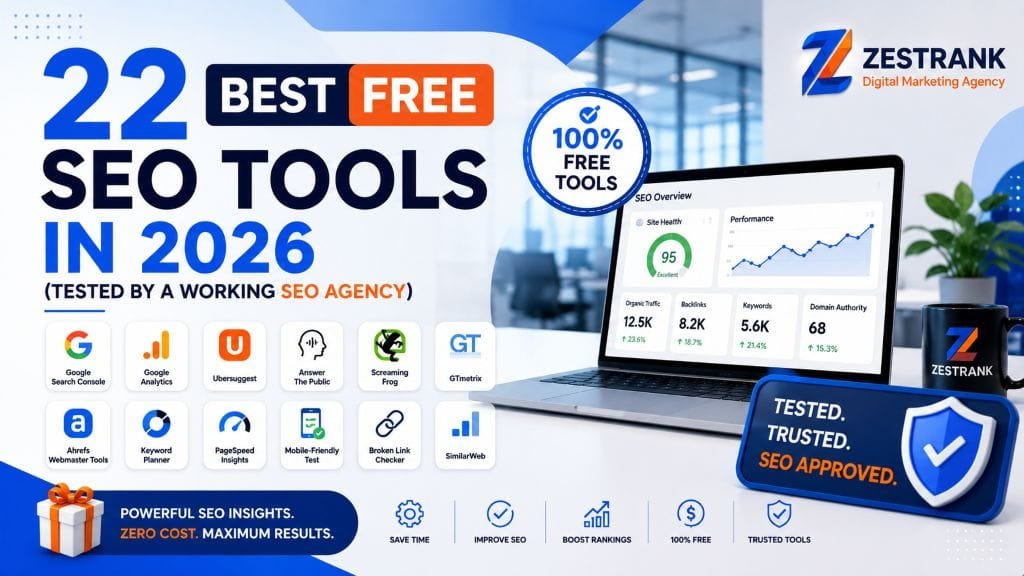
Quick answer: The best free SEO tools in 2026 are Google Search Console and Google Keyword Planner for keyword and performance data, Google PageSpeed Insights and the free version of Screaming Frog for technical audits, Google’s Rich Results Test for schema validation, and ZestSmartTools for everyday tasks like meta tag generation, keyword density checking, and backlink checking — because it’s one of the only toolsets in this category with no daily search caps. For AI search visibility (ChatGPT, Gemini, AI Overviews), free options are still thin, but Google Search Console’s AI Overviews reporting and manual prompt testing are your best starting point. Below, we break down all 22 tools by use case, with the actual limits, pricing traps, and workflow each one is best for.
Why Most “Best Free SEO Tools” Lists Are Already Outdated
Search a variation of this exact query and you’ll find the same six tools recycled across a dozen articles — usually written once in 2023 and never touched again. In the last year alone: AnswerThePublic locked its free tier behind a mandatory account, and an entire category of free AI-visibility tools appeared that didn’t exist when most of these roundups were first published.
We run SEO campaigns for over 100 businesses across Delhi NCR, and this list is built from tools our own strategists open every week — not a scrape of what ranks well for “free SEO tools.” Where a tool’s free tier has gotten worse (or better), we say so.
How We Tested These Tools
Every tool below was used on live client sites or our own properties (zestrank.com and zestsmarttools.com) within the last 30 days. We checked three things for each one:
- What the free tier actually includes — not the marketing page, the real usage caps.
- Who it’s genuinely built for — a solo blogger and an ecommerce technical audit need different tools.
- Where it breaks down — every free tool has a ceiling. We tell you where it is so you don’t waste an afternoon finding out yourself.
Free Keyword Research Tools {#keyword}
Keyword research is where most people start, and it’s also where free tools are strongest — largely because Google gives away more keyword data than any paid tool can replicate.
1. Google Search Console — If you do nothing else on this list, do this. The Performance report shows you the exact queries already sending you clicks and impressions, including ones you’re ranking for on page 2 or 3 that need a small push to page 1. That’s a far higher-intent keyword list than any keyword tool can guess at, because Google is telling you what’s already working. Free, unlimited, no learning curve beyond a week of poking around.
2. Google Keyword Planner — Built for Google Ads, but usable for organic research if you set up a free ads account (no card needed to browse keyword ideas). Search volume ranges are bucketed rather than exact, which is Google’s way of nudging you toward a paid Ads account, but the bucket is usually good enough to compare 20 keyword ideas against each other.
3. Google Trends — The only tool on this list that shows you direction, not just volume. Useful for catching rising queries before competitors do, and for sanity-checking whether a keyword is seasonal before you spend a week writing content for it.
4. Google Autocomplete & “People Also Ask” — Underrated because it’s not a dedicated “tool.” Type a query into Google and read what autocomplete suggests, then open the People Also Ask box. Both are built directly from real search behavior and are one of the fastest ways to find long-tail variations and FAQ content ideas.
5. AnswerThePublic — Turns a seed keyword into a visual map of questions, comparisons, and prepositions people search around it. The free tier now requires an account and gives you 3 searches per day, so batch your seed keywords into one session rather than spreading them across the week.
6. Ubersuggest — Decent for a single keyword’s volume, CPC, and difficulty score when you don’t have another tool open. Worth flagging: the free tier is capped at 3 searches per day (across keyword ideas, site audit, and domain overview combined, not 3 per feature), which makes it workable for a quick daily spot-check but impractical for any sustained research session.
7. ZestSmartTools Keyword Tools — Our own free toolkit covers the keyword tasks Google’s tools don’t: a Keyword Density Checker to make sure your target keyword isn’t over- or under-used once content is written, a Keyword Extractor to pull key terms out of a competitor’s page, and a Keyword CPC Estimator for a quick commercial-intent gut check. No account, no daily limit — these run entirely client-side in your browser.
Free Technical & On-Page SEO Tools {#technical}
This is the category where free tools genuinely rival paid ones, because most technical checks are binary (a tag is either there or it isn’t) and don’t need proprietary databases.
8. Google PageSpeed Insights — Runs your page through Google’s own Lighthouse engine and reports Core Web Vitals (LCP, INP, CLS) using both lab data and real Chrome User Experience Report field data. If a page is genuinely slow for real visitors, not just in a synthetic test, this is where you’ll see it.
9. Screaming Frog SEO Spider (free version) — Crawls up to 500 URLs per site, which covers most small business and blog sites entirely. It surfaces broken links, missing title tags, duplicate meta descriptions, and redirect chains in one crawl. If your site has more than 500 URLs, you’ll need the paid version or a subset crawl.
10. Google Rich Results Test — Validates whether your structured data (schema markup) is eligible for rich results like FAQ dropdowns, review stars, or breadcrumbs. Increasingly relevant in 2026, since well-formed schema is also one of the signals AI answer engines use to understand and cite a page.
11. ZestSmartTools SEO Checker — A one-page on-page audit covering title length, meta description, header structure, and image alt coverage in a single scan, useful as a pre-publish checklist before a page goes live.
12. ZestSmartTools Website Broken Link Checker and Canonical Tag Checker — Broken internal links and missing or duplicated canonical tags are two of the most common technical issues we find during client audits, and both are entirely preventable with a five-minute check before publishing.
13. ZestSmartTools Website Speed Test — A faster second opinion alongside PageSpeed Insights when you just need a quick Core Web Vitals read without waiting on Google’s full report.
Free Backlink & Competitor Research Tools {#backlinks}
Backlink data is the one area where free tools are genuinely limited — the large link indexes (Ahrefs, Semrush, Moz) cost real money to maintain, so free tiers are intentionally narrow.
14. Ahrefs Free Backlink Checker — Shows your top 100 backlinks and overall referring domain count for any URL. Enough to sanity-check a competitor’s link profile at a glance, not enough to build a full link-building strategy from. (For your own site specifically, Ahrefs Webmaster Tools is free and far deeper — worth setting up separately if you haven’t.)
15. Google Search Console Links Report — Free, unlimited, and shows every link Google has actually indexed pointing to your own site — which is more reliable for your own domain than any third-party crawler, since it’s Google’s own index rather than an estimate.
16. ZestSmartTools Backlink Checker and Link Analyzer — Quick lookups for a domain’s backlink count and a dofollow/nofollow breakdown of any page’s outbound links, useful when you’re vetting a guest post opportunity before committing time to it.
Free Meta Tag, Schema & AEO Tools {#meta}
Small, mechanical tasks that add up — and increasingly, the same tags and structured data that help Google also help AI answer engines parse and cite your page correctly.
17. ZestSmartTools Meta Tag Generator and SERP Snippet Generator — Write your title and description, then preview exactly how they’ll be truncated in Google’s actual results before you publish, instead of guessing at character counts.
18. ZestSmartTools FAQ Schema Generator — Generates valid JSON-LD FAQ schema from a plain list of questions and answers. This is the fastest way to get your FAQ section eligible for both Google’s FAQ rich results and citation by AI answer engines, without hand-writing schema markup.
19. ZestSmartTools SEO URL Slug Generator — Turns a messy working title into a clean, keyword-first URL slug — a small detail, but one that’s easy to get wrong on a CMS that auto-generates slugs from your exact headline.
Free AI Search & GEO Visibility Tools — 2026’s Biggest Gap {#ai-search}
Almost no “best free SEO tools” list published before 2025 covers this, because the category barely existed. It matters now: ranking #1 on Google no longer guarantees your content gets cited inside ChatGPT, Gemini, or Google’s AI Overviews — these are increasingly separate visibility scores. We’ve written a full breakdown of what’s actually changed for AI search in 2026 if you want the deeper data, plus a tactical playbook for getting cited.
20. Google Search Console’s AI Overviews Report — Google now surfaces impression and click data specifically for AI Overviews inside Search Console’s Performance report. It’s the only free, first-party data source for this, and most site owners haven’t checked it yet.
21. Manual Prompt Testing — There’s no mature free tool yet that reliably tracks brand citations across ChatGPT, Perplexity, and Gemini at scale. Until one exists, the honest free method is running your target queries directly in each tool every few weeks and logging whether your brand or content gets cited. Tedious, but it’s real data, and it costs nothing but time.
22. ZestSmartTools AI Content Detector — Not a visibility tracker, but useful before you publish: a fast check on whether AI-assisted content reads as too obviously machine-generated, which matters both for reader trust and for how confidently AI engines cite a page as an original source.
Bonus:
DefiniteSEO AI SEO Checker — Useful for a quick AI-focused SEO check, helping assess how well a page is optimized for AI search and answer engines. Worth flagging: it’s better suited to quick audits and actionable recommendations than deep keyword-volume research, so it works well as a supplementary tool rather than a replacement for dedicated keyword research platforms.
Free Local SEO Tools (For Delhi NCR & India-Based Businesses) {#local}
If your business serves a specific city rather than the whole country, none of the tools above will help you win the map pack on their own.
Google Business Profile is the free tool that matters most here — a fully completed profile, weekly posts, and a steady flow of recent reviews influence local rankings more than almost anything else on this list. We cover the full local playbook, including the exact profile fields Delhi NCR businesses miss, in our guide to local SEO for Delhi NCR businesses. If DIY local SEO isn’t moving the needle after a few months, that’s usually a sign the issue is competitive gaps rather than tooling — our Local SEO services start with a free audit that shows you exactly where you’re losing to competitors in the map pack.
Free SEO Tools Comparison Table {#comparison}
| Tool | Best For | Free Limit | Account Needed |
|---|---|---|---|
| Google Search Console | Real keyword & AI Overview data | Unlimited | Yes (free) |
| Google Keyword Planner | Volume & CPC estimates | Unlimited | Yes (free) |
| Google Trends | Trend direction | Unlimited | No |
| AnswerThePublic | Question-based keywords | 3 searches/day | Yes |
| Ubersuggest | Keyword volume, CPC, difficulty | 3 searches/day (combined) | No |
| Screaming Frog | Technical crawl | 500 URLs/crawl | No |
| Google PageSpeed Insights | Core Web Vitals | Unlimited | No |
| Google Rich Results Test | Schema validation | Unlimited | No |
| Ahrefs Backlink Checker | Competitor backlinks | Top 100 links | No |
| ZestSmartTools | Meta tags, keyword density, backlinks, schema, speed, AI detection | Unlimited on most tools | No |
Common Mistakes Businesses Make With Free SEO Tools {#mistakes}
After auditing hundreds of sites, three patterns show up constantly:
- Trusting one tool’s difficulty score as gospel. Every tool scores “keyword difficulty” differently. Cross-check a keyword’s real competitiveness by looking at who’s actually ranking on page 1, not just a 0–100 number.
- Running a technical audit once and never again. A Screaming Frog crawl from six months ago doesn’t reflect the broken links or redirect chains a CMS update introduced last week. Free technical checks are only useful if they’re recurring.
- Skipping schema because it “feels technical.” Tools like the FAQ Schema Generator above turn a 20-minute manual task into a 2-minute one — there’s no longer a good excuse to skip structured data, and skipping it is increasingly a visibility cost in AI search, not just traditional search.
When Free Tools Stop Being Enough {#beyond-free}
Free tools are genuinely sufficient for a solo blogger or a very early-stage site. The ceiling shows up once you’re competing for commercial keywords against businesses that already have an SEO budget: you’ll hit search caps mid-research, you won’t get full backlink data on a competitor, and you have no way to track whether you’re actually gaining or losing ground month over month without manually re-running every check.
That’s usually the point where a technical SEO audit — done once, properly, with paid-tool-grade data — replaces hours of free-tool workarounds. If you want that starting point, our free strategy session includes a real look at where you stand against your actual competitors, not a generic checklist.
Frequently Asked Questions {#faqs}
Are free SEO tools actually enough to rank a website?
For a new or small local site, yes — Google Search Console, PageSpeed Insights, and a free technical crawl cover the fundamentals most sites get wrong. Once you’re competing for commercial keywords against funded competitors, free tools’ usage caps and limited backlink data become a real bottleneck.
What’s the best free alternative to Ahrefs or Semrush?
There isn’t a single one-to-one free replacement — Ahrefs and Semrush’s value comes from massive proprietary link and keyword indexes that are expensive to maintain. The closest free workflow combines Google Search Console (your own site’s real data), the Ahrefs free backlink checker (limited competitor data), and a toolkit like ZestSmartTools for the mechanical on-page tasks.
Do free SEO tools help with AI search visibility (ChatGPT, AI Overviews)?
Google Search Console now reports AI Overviews impressions and clicks directly, which is currently the best free data source. Beyond that, dedicated free AI-visibility trackers are still an early, thin category — manual prompt testing remains the most reliable free method for now.
How often should I re-run a free SEO audit?
Monthly for a small site, weekly if you’re publishing content regularly or running active campaigns. Technical issues like broken links and duplicate meta tags accumulate quietly between checks, especially on sites with frequent CMS updates.
Is Google Search Console really better than paid rank trackers?
For your own site’s real click and impression data, yes — it’s first-party data straight from Google, which no third-party tool can fully replicate. Paid rank trackers add value for tracking competitors and for daily position snapshots across large keyword sets, which Search Console doesn’t do.
What’s Ubersuggest’s actual free daily search limit in 2026?
3 searches per day, combined across its keyword ideas, site audit, and domain overview features — not split per feature. This is workable for a single quick lookup but too restrictive for a sustained research session.
Follow ZestRank on Google
Add ZestRank as your preferred source to see our latest SEO & AI search updates first in Google Search.
About the Author: Rohit Nandan
Founder & Lead Digital Marketing ConsultantRohit Nandan is ZestRank's Founder & Lead Digital Marketing Consultant and YouTube SEO Expert, with over 15 years of experience diagnosing and running search campaigns for businesses across Delhi NCR. He personally reviews ZestRank's client projects, with deep expertise in technical SEO infrastructure and YouTube optimization. Have a question about this post? Message Rohit directly on WhatsApp.
Free Consultation
Ready to see how these exact parameters can be configured to expand your physical business discovery indices?
Request Strategy Call WhatsApp Strategist
- Ultra-fast NVMe storage & LiteSpeed cache
- Free domain, SSL & daily backups
- Extra 10% off with coupon: 1ROHIT89
Starts at ₹139/mo* • 30-day money-back guarantee