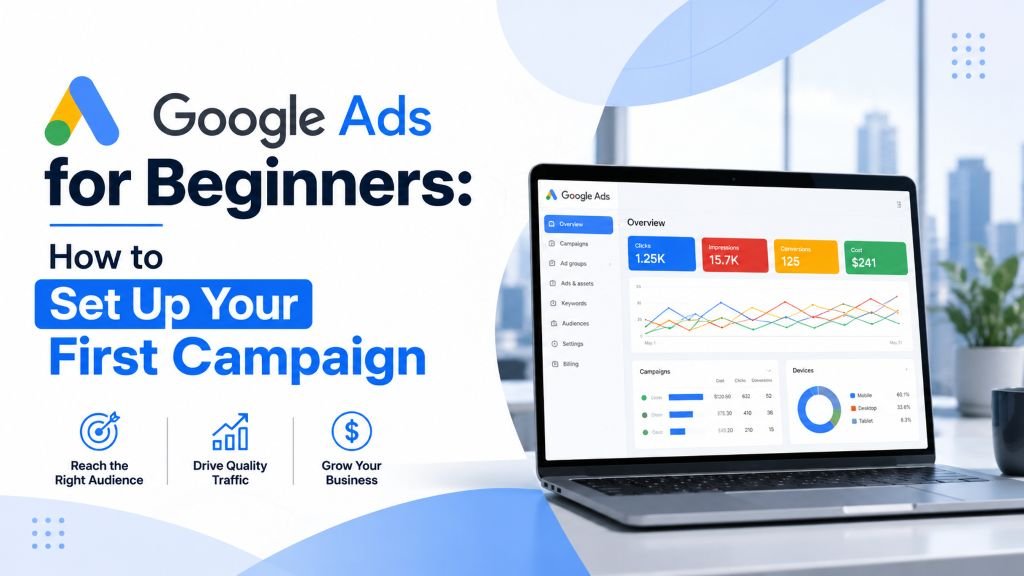
Google Ads for Beginners: How to Set Up Your First Campaign (2026)
Rohit Nandan
Founder & Lead Digital Marketing Consultant
Quick answer: Setting up your first Google Ads campaign involves creating an account, choosing a Search campaign type for most small businesses (rather than the more automated, less beginner-friendly Performance Max), setting geographic targeting and budget, building specific keyword lists with proper match types, writing compelling ad copy, and setting up conversion tracking before launch — this last step is the most commonly skipped and most important.
Google Ads can feel intimidating the first time you open the dashboard — campaign types, bidding strategies, match types, Quality Score. It’s easy to either get overwhelmed and never launch, or launch carelessly and burn through budget with nothing to show for it.
This guide walks you through setting up your first Google Ads campaign step by step, with the decisions that actually matter explained simply, and the common beginner mistakes flagged along the way.
Before You Start: Get Clear on Your Goal {#goal}
Every setup decision flows from this. Are you trying to:
- Get more phone calls or store visits (local business)?
- Drive traffic to a specific product or service page?
- Generate leads through a contact form?
Google Ads will ask you to choose a campaign goal early on — having this clear in your own head first prevents you from picking settings that don’t match what you actually want.
Step 1: Create Your Google Ads Account {#steps}
- Go to ads.google.com and sign in with a Google account.
- Choose “Switch to Expert Mode” if it’s offered — the guided “Smart” setup limits control over targeting and budget that you’ll likely want later.
- Set your billing country, time zone, and currency carefully — per Google’s own account setup guidance, these generally cannot be changed later without creating a new account.
- Check for a first-time advertiser credit. Google periodically runs promotional offers giving new advertisers bonus ad spend after their first campaign hits a minimum spend threshold — availability and terms vary by region and change over time, so check your account or Google’s current promotions directly rather than assuming a specific amount, but it’s worth a quick look before you launch.
Step 2: Choose Your Campaign Type
The most common starting points for small businesses:
- Search campaigns — text ads shown when people search relevant keywords on Google. Best for capturing existing demand (someone actively searching for what you offer).
- Local campaigns — designed to drive store visits, calls, and direction requests for businesses with a physical location.
- Display campaigns — banner ads shown across websites in Google’s network. Better for brand awareness than direct response, especially for beginners.
- Performance Max (PMax) — Google’s newer, highly automated campaign type that runs across Search, Display, YouTube, and more simultaneously. It’s often surfaced prominently in the setup flow, but it hands significant control to Google’s automation and generally performs best once you already have conversion data and creative assets to feed it — not the easiest starting point for a first campaign.
For most small businesses starting out, a Search campaign is the right first choice — it targets people already looking for what you offer, and gives you the most direct control while you’re still learning. Once you’re comfortable with Search and have real conversion data, our guide on reducing Google Ads CPC covers how Performance Max’s quality signals work differently from Search’s Quality Score, for when you’re ready to expand.
Step 3: Set Your Geographic Targeting
- Target only the locations you can actually serve — don’t target all of India if you only serve Delhi NCR.
- Use the “Locations” radius targeting if you serve a specific area around a physical location.
- Exclude locations you don’t serve to avoid wasting budget on irrelevant clicks.
Step 4: Set Your Budget
- Start with a daily budget you’re comfortable testing with — even ₹500-1000/day is enough to gather useful early data for many local service categories.
- Choose “Maximize Clicks” or “Manual CPC” bidding as a beginner rather than more complex automated bidding strategies, which work better once you have conversion data flowing in.
- Remember: your daily budget is an average Google will spend over a month, not a hard daily cap — some days may spend more, balanced by others spending less.
Step 5: Build Your Keyword List
This is where many beginner campaigns go wrong.
- Start with specific, high-intent keywords directly related to what you offer (e.g., “emergency plumber Noida” rather than just “plumber”).
- Use match types correctly:
- Exact match
[keyword]— shows only for very close variations of the exact phrase. - Phrase match
"keyword"— shows for searches containing that phrase, with extra words before or after. - Broad match
keyword— shows for a much wider range of related searches; risky for beginners as it can waste budget on irrelevant clicks.
- Exact match
- As a beginner, lean toward phrase and exact match for more control, even though broad match (with proper monitoring) can later become powerful with experience.
- Add negative keywords — terms you don’t want your ad to show for (e.g., “free,” “jobs,” “how to” if you’re not offering free services or hiring).
Step 6: Write Your Ad Copy
- Write 3-4 headline variations and 2-3 description variations — Google tests combinations automatically.
- Include your primary keyword naturally in at least one headline.
- Clearly state what makes you different (price, speed, experience, guarantee).
- Include a clear call-to-action (“Call Now,” “Book Today,” “Get a Free Quote”).
- Add ad extensions — call buttons, location, sitelinks — these increase your ad’s visibility and click-through rate at no extra cost.
- Make sure the landing page your ad points to actually matches what the ad promises. Our Ecommerce CRO Checklist covers the landing page and checkout factors worth reviewing if you’re sending traffic to a product or service page for the first time.
Step 7: Set Up Conversion Tracking Before You Launch
This step gets skipped constantly, and it’s the single biggest mistake beginners make.
- Install Google Ads conversion tracking (or connect Google Analytics 4 conversions) before your campaign goes live.
- Track the actions that actually matter to your business — form submissions, calls, WhatsApp clicks, purchases.
- Without this, you’ll have no reliable way to know which keywords or ads are actually generating business, only how much you’re spending.
- A note worth knowing even as a beginner: browser privacy restrictions (Safari’s tracking prevention, ad blockers, cookie consent choices) can cause even correctly-configured tracking to undercount real conversions. This isn’t something to fix on day one, but if your reported conversions start looking noticeably lower than your actual sales as your campaign matures, our guide on server-side tracking for Google Ads and GA4 covers the current standard fix.
Step 8: Launch and Monitor Closely in the First Two Weeks
- Check performance every 2-3 days initially, not constantly (data needs time to accumulate before it’s meaningful).
- Watch for keywords generating clicks but zero conversions after a reasonable number of clicks — these may need to be paused or moved to negative keywords.
- Avoid making major changes daily — give the campaign enough data (typically 1-2 weeks) before adjusting bids or pausing keywords.
Quick Setup Checklist {#checklist}
| Step | Action | Skip this and… |
|---|---|---|
| 1 | Create account, check for new-advertiser credit | Miss free bonus spend |
| 2 | Choose Search (not PMax) as a beginner | Lose control while still learning |
| 3 | Set geographic targeting to your real service area | Pay for unusable clicks |
| 4 | Set a testable daily budget, simple bidding | Under-fund your test data |
| 5 | Build specific keywords with match types + negatives | Waste spend on irrelevant searches |
| 6 | Write specific, differentiated ad copy | Blend in with generic competitors |
| 7 | Set up conversion tracking before launch | Fly blind on what’s actually working |
| 8 | Monitor every 2-3 days, don’t overreact daily | Make changes before data is meaningful |
When Should You Hire a PPC Expert Instead of Managing It Yourself? {#hire}
The setup steps above are achievable for a motivated beginner, but ongoing optimization — bid adjustments, negative keyword expansion, A/B testing ad copy — takes consistent weekly attention that many business owners simply don’t have time for. If your budget is significant enough that mistakes get expensive quickly, it’s often worth bringing in a PPC expert in Delhi early rather than learning through trial and error on your own ad spend.
Common Beginner Mistakes to Avoid {#mistakes}
- Skipping conversion tracking — you’ll be flying blind on what’s actually working.
- Using only broad match keywords — leads to wasted spend on irrelevant searches.
- Targeting too broad a geographic area — wastes budget on clicks from people you can’t serve.
- Writing generic ad copy — “Best Service Provider” tells a searcher nothing useful; be specific.
- Checking and changing the campaign too frequently — constant tweaking before data accumulates prevents the algorithm from learning effectively.
- Jumping straight to Performance Max because it’s prominently suggested during setup, before you have any conversion data for it to learn from.
How Much Should a Beginner Budget for Google Ads? {#budget}
There’s no universal number — it depends on your industry’s cost-per-click and how many conversions you need to judge performance reliably. As a starting point, budget enough to get at least 50-100 clicks within your test period (often 2-4 weeks) so you have enough data to draw real conclusions, rather than judging results off a handful of clicks.
Final Thoughts
Google Ads rewards a clear goal, tight keyword targeting, and proper conversion tracking far more than a big budget. Most beginner campaigns fail not because Google Ads doesn’t work, but because of avoidable setup mistakes — broad match keywords with no negatives, no conversion tracking, or budget spread across too wide a geography. Once your first campaign is live and generating reliable data, our guide on reducing Google Ads CPC is the natural next read for bringing costs down as you scale.
Want this set up correctly the first time?
ZestRank is a Google Ads agency in Delhi offering full Google Ads management services for businesses across Delhi NCR, with conversion tracking and budget control built in from day one. As a PPC company in Delhi and broader digital marketing agency, we can also help decide whether Google Ads, SEO, or a mix is the right fit for your budget. Get a free PPC strategy session and we’ll show you what a properly structured campaign for your business would look like.
Frequently Asked Questions {#faqs}
How much does it cost to start with Google Ads?
There’s no minimum spend requirement — you set your own daily budget. Realistic starting budgets vary widely by industry and competition, so it’s worth researching typical cost-per-click for your specific keywords before setting a number.
How long until Google Ads starts generating results?
Some campaigns generate clicks and conversions within days of launching, but reliable performance data typically needs 1-2 weeks to accumulate before you can judge what’s working.
Is Google Ads better than SEO for a brand-new business?
Google Ads can generate visibility and leads immediately, while SEO typically takes months to build momentum. Many businesses use Google Ads for short-term results while SEO builds in the background for sustainable, lower-cost-per-lead traffic over time.
Do I need a website to run Google Ads?
Not necessarily — Local campaigns can drive calls and direction requests directly from your Google Business Profile without a dedicated landing page, though a website generally improves conversion rates for most other campaign types.
Should a complete beginner use Performance Max instead of Search campaigns?
Generally no. Performance Max relies heavily on Google’s automation and performs best with existing conversion data and creative assets to learn from — a Search campaign gives a beginner more direct control and faster, clearer feedback on what’s working while they’re still learning the platform.
About the Author: Rohit Nandan
Founder & Lead Digital Marketing ConsultantRohit Nandan is ZestRank's Founder & Lead Digital Marketing Consultant and YouTube SEO Expert, with over 15 years of experience diagnosing and running search campaigns for businesses across Delhi NCR. He personally reviews ZestRank's client projects, with deep expertise in technical SEO infrastructure and YouTube optimization. Have a question about this post? Message Rohit directly on WhatsApp.
Free Consultation
Ready to see how these exact parameters can be configured to expand your physical business discovery indices?
Request Strategy Call WhatsApp Strategist