The Complete YouTube SEO Checklist for New Channels in 2026
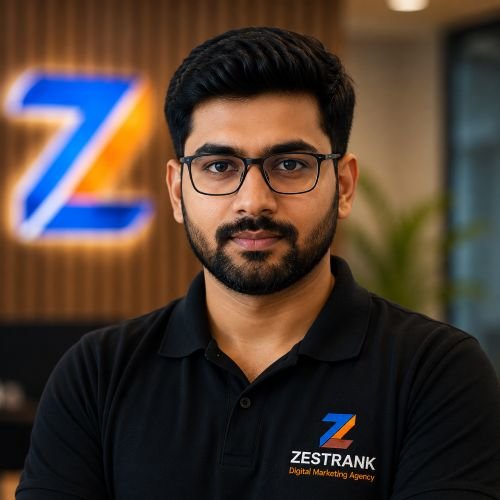
Rohit Nandan
Founder & Lead Digital Marketing Consultant
Quick answer: YouTube SEO in 2026 is the process of optimizing your channel and videos — titles, descriptions, semantic keywords, thumbnails, and watch time — so YouTube’s AI-driven search and recommendation systems show them to more of the right viewers. The biggest shift for new channels to know: YouTube now matches videos by topic and intent, not just exact keywords, and its new “Ask YouTube” conversational AI search (launched at Google I/O 2026) can jump straight to specific moments inside your videos — making clear structure and accurate captions more important than ever.
Posting good videos isn’t enough to get discovered on YouTube anymore. With over 500 hours of video uploaded every minute, YouTube’s systems need clear signals to understand what your video is about and who should see it. That’s what YouTube SEO does — and for new channels especially, getting it right from video #1 makes a measurable difference in how fast you grow.
This checklist covers every YouTube SEO element that matters in 2026, in the order you should tackle them.
What Is YouTube SEO in 2026?
YouTube SEO is the practice of optimizing your videos and channel so they rank higher in YouTube search and get recommended more often by YouTube’s algorithm. It works similarly to traditional search engine SEO, but factors in video-specific signals like watch time, click-through rate, and audience retention alongside keywords. The biggest change from a few years ago: YouTube’s search now balances three things — keyword relevance, performance history, and intent satisfaction — rather than ranking primarily on exact keyword matches. A video that thoroughly answers a question can now outrank a shorter, keyword-stuffed video covering the same topic, because YouTube’s AI increasingly understands topic depth and semantic relationships between terms, not just the words you typed.
1. Keyword Research Before You Even Film
- Use YouTube’s search autocomplete to find what people actually search (type your topic and see suggestions).
- Check what’s already ranking for your target keyword — note video length, style, and thumbnail patterns of top results.
- Identify one primary keyword phrase per video, but don’t stop there: include semantically related secondary terms naturally throughout your description and spoken content. If your video is about “email marketing for startups,” related terms like “cold email,” “marketing automation,” and “B2B lead generation” help YouTube’s topic-matching AI place your video in front of viewers interested in the broader subject, not just people who typed your exact phrase. For a deeper dive on this shift, see our semantic YouTube SEO guide using vidIQ.
2. Title Optimization
- Include your primary keyword naturally, ideally near the beginning of the title.
- Keep titles under ~60 characters so they don’t get cut off in search and suggested results.
- Write for clicks, not just keywords — curiosity, specificity, and clarity outperform generic titles.
- Avoid clickbait that doesn’t match the actual content — this hurts retention and satisfaction signals, both of which hurt future rankings more directly than they used to.
3. Thumbnail Design
- Use a custom thumbnail for every video — never rely on an auto-generated frame.
- Keep text on the thumbnail minimal (3–5 words max) and legible at small sizes.
- Use high-contrast colors and clear facial expressions where relevant — these consistently outperform cluttered designs.
- Maintain a consistent visual style across videos so your channel is instantly recognizable in search results. For a deeper breakdown, see our full guide to YouTube thumbnail and title strategies that increase CTR.
4. Description Optimization
- Write at least 200 words in the description, naturally including your primary keyword in the first two sentences, along with 2–3 semantically related terms.
- Add a clear summary of what the video covers — YouTube’s AI uses this for topic matching, and it also helps viewers decide to watch.
- Include relevant links (your website, related videos, social profiles) — but don’t overload with links.
- Add timestamps for longer videos. These matter more in 2026 than before: YouTube’s new “Ask YouTube” AI search feature can jump viewers directly into specific sections of your video, so clearly labeled, accurate timestamps increase the chance a specific segment gets surfaced for a specific question.
5. Tags and Categories
- Add 5–8 relevant tags mixing broad and specific terms related to your video’s topic — tags carry less direct ranking weight than they used to, but they still help YouTube’s AI understand content boundaries and disambiguate similar titles.
- Set the correct video category — this affects what type of content YouTube associates your video with for recommendations.
6. Closed Captions and Transcripts
- Upload accurate captions rather than relying solely on YouTube’s auto-generated captions, which often contain errors.
- Accurate captions matter more now than ever: YouTube’s semantic search reads spoken language through captions to understand full video content, and this is also what powers Ask YouTube’s ability to jump to the right moment in your video.
- If you serve a bilingual or multilingual audience, consider multi-audio tracks or dubbing — increasingly available in YouTube Studio — for accessibility and wider discovery.
7. Watch Time, Retention, and Session Signals
- Structure videos with a strong hook in the first 15 seconds — early drop-off hurts overall ranking signals significantly.
- Use pattern interrupts (b-roll, graphics, pacing changes) to maintain attention throughout longer videos.
- Review your Audience Retention graph in YouTube Studio after publishing — sharp drop-off points reveal exactly where viewers lose interest.
- New for 2026: YouTube increasingly weighs whether your video extends a viewer’s session or ends it. Videos that lead viewers into more content (via end screens, cards, and strong playlist placement) are favored over videos that cause viewers to leave the platform after watching.
8. Click-Through Rate (CTR)
- Monitor your impressions CTR in YouTube Studio — a healthy CTR for most niches is generally in the 4–10% range, though this varies by topic.
- Test different thumbnail and title combinations on similar videos over time to learn what resonates with your specific audience.
9. Optimize Shorts Separately From Long-Form
This is a gap most 2026 checklists still treat as an afterthought, but it matters for new channels specifically, since Shorts is often the fastest way to get initial traction. YouTube’s Shorts algorithm runs on a fully separate set of signals from long-form video: swipe-through rate, loop rate (how often viewers watch it more than once), and early engagement in the first few seconds carry the most weight.
- Hook viewers in the first 1–2 seconds — the tolerance for a slow start is far lower than long-form.
- Design for the loop: a Short that naturally re-watches well (a punchline, a visual payoff, a satisfying loop point) performs better than one that just ends.
- Use Shorts to funnel new viewers toward your long-form content and channel, but don’t expect the same optimization playbook to work for both formats.
10. Playlists and Channel Structure
- Organize videos into clear, keyword-relevant playlists — this increases overall session watch time, which benefits the whole channel and directly supports the session-extension signal covered above.
- Write optimized playlist titles and descriptions, the same way you would for individual videos.
11. Consistency and Upload Schedule
- Publish on a consistent schedule rather than sporadically — this helps build returning viewership and signals an active channel.
- Promote new uploads through your other channels (website, social media) to drive an early engagement spike, which can positively influence initial algorithmic distribution. If you’re also building on Instagram, the same “first-hour signals matter most” pattern applies — see our Instagram algorithm 2026 breakdown for the parallel.
12. Disclose AI Use Where Required
If you use AI tools anywhere in your production — voice, visuals, or fully synthetic content — disclose it through YouTube’s content disclosure settings where the platform requires it. This isn’t just a policy checkbox: undisclosed AI content that’s later flagged can affect distribution, and transparency is increasingly expected across platforms as AI-generated content becomes more common in feeds and search results generally.
Quick-Reference Checklist
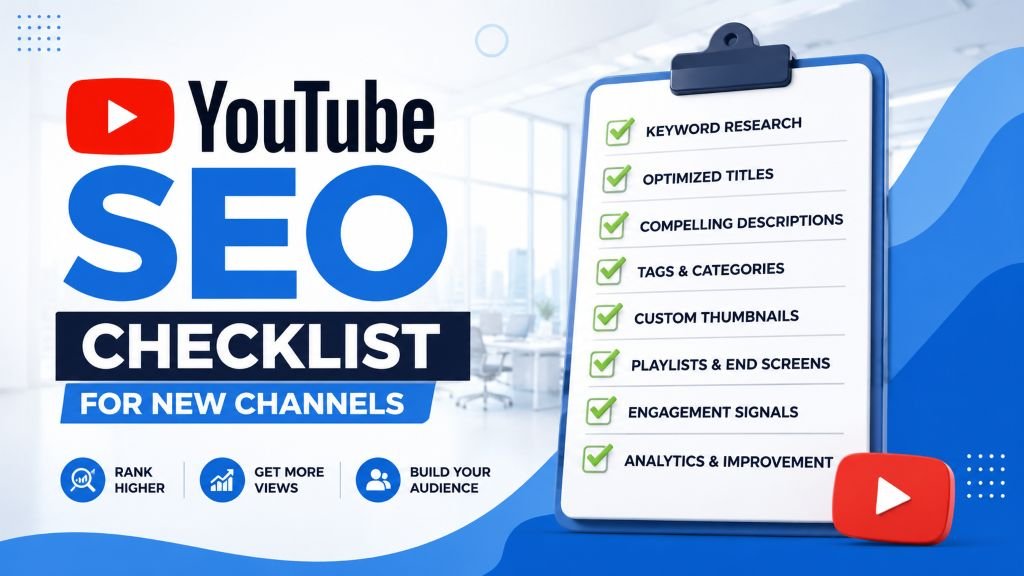
YOUTUBE SEO CHECKLIST (NEW CHANNELS, 2026)
[ ] Keyword researched via YouTube autocomplete before filming
[ ] Semantically related secondary terms identified, not just exact-match keyword
[ ] Primary keyword in title (under 60 characters)
[ ] Custom, high-contrast thumbnail with minimal text
[ ] 200+ word description with keyword + related terms in first 2 sentences
[ ] Accurate timestamps added for longer videos
[ ] Relevant tags (5-8) + correct category set
[ ] Accurate captions uploaded (not just auto-generated)
[ ] Strong hook in first 15 seconds (long-form) or 1-2 seconds (Shorts)
[ ] End screens/cards used to extend session watch time
[ ] Retention graph reviewed after publishing
[ ] CTR monitored and tested over time
[ ] Shorts optimized separately for swipe-through and loop rate
[ ] Videos organized into optimized playlists
[ ] Consistent upload schedule maintained
[ ] AI use disclosed where the platform requires it
Final Thoughts
YouTube SEO for a new channel isn’t about gaming the algorithm — it’s about giving YouTube’s systems clear, accurate signals about what your video covers and who it’s for, while genuinely keeping viewers engaged once they click, and increasingly, once they leave your video for the next one. Channels that consistently apply this checklist tend to see steadier, more compounding growth than those relying on luck or unpredictable virality. Once you’ve got the fundamentals in place, our guide to getting your first 1,000 YouTube subscribers covers the next stage of growth.
Want expert help growing your channel?
ZestRank offers dedicated YouTube SEO services for businesses and creators looking to rank videos higher and grow consistently — not chase one-off viral hits. This pairs naturally with a broader social media content calendar if you’re building across platforms, not just YouTube. Get a free YouTube channel review and we’ll show you exactly what’s holding your videos back.
Frequently Asked Questions
How long does YouTube SEO take to show results?
New channels typically start seeing measurable improvements in impressions and click-through rate within 4–8 weeks of consistently applying on-page optimization, though significant ranking and subscriber growth usually compounds over 3–6 months.
Do tags still matter for YouTube SEO in 2026?
Tags carry less ranking weight than titles, descriptions, and watch time, but they still provide useful context to YouTube’s systems, especially for disambiguating topics with similar titles. Aim for 5–8 relevant tags rather than a long generic list.
What matters more for YouTube SEO: keywords or watch time?
Both matter, but they serve different purposes. Keywords and semantic context help YouTube understand what your video is about and surface it for relevant searches; watch time, retention, and session-extension signals determine whether YouTube continues recommending it afterward. Strong keyword targeting with poor retention rarely sustains rankings.
Can a brand-new YouTube channel rank without any subscribers?
Yes. YouTube ranks individual videos based on relevance and performance signals, not subscriber count alone — a well-optimized video from a brand-new channel can outrank an established channel’s weaker upload for the same search term.
What is “Ask YouTube” and how does it affect SEO?
Ask YouTube is a conversational AI search experience YouTube introduced at Google I/O 2026, letting viewers ask questions in natural language and jump directly to the relevant moment inside a video. It rewards videos with clear structure, accurate timestamps, and captions, since those are the signals it uses to locate and surface the right segment.
Does the YouTube algorithm treat Shorts and long-form videos the same way?
No. Shorts run on a separate set of ranking signals — primarily swipe-through rate and loop rate — compared to long-form video’s emphasis on watch time and session-extension. Optimizing both formats requires different tactics, not a single unified approach.
Have a question about this post? Message Rohit directly on WhatsApp or book a free strategy call. For more breakdowns like this, browse the ZestRank blog, or learn more about our team.
About the Author: Rohit Nandan
Founder & Lead Digital Marketing ConsultantRohit Nandan is ZestRank's Founder & Lead Digital Marketing Consultant and YouTube SEO Expert, with over 15 years of experience diagnosing and running search campaigns for businesses across Delhi NCR. He personally reviews ZestRank's client projects, with deep expertise in technical SEO infrastructure and YouTube optimization. Have a question about this post? Message Rohit directly on WhatsApp.
Free Consultation
Ready to see how these exact parameters can be configured to expand your physical business discovery indices?
Request Strategy Call WhatsApp Strategist