How to Do a Free SEO Audit for Your Website (Step-by-Step Checklist)

Rohit Nandan
Founder & Lead Digital Marketing Consultant
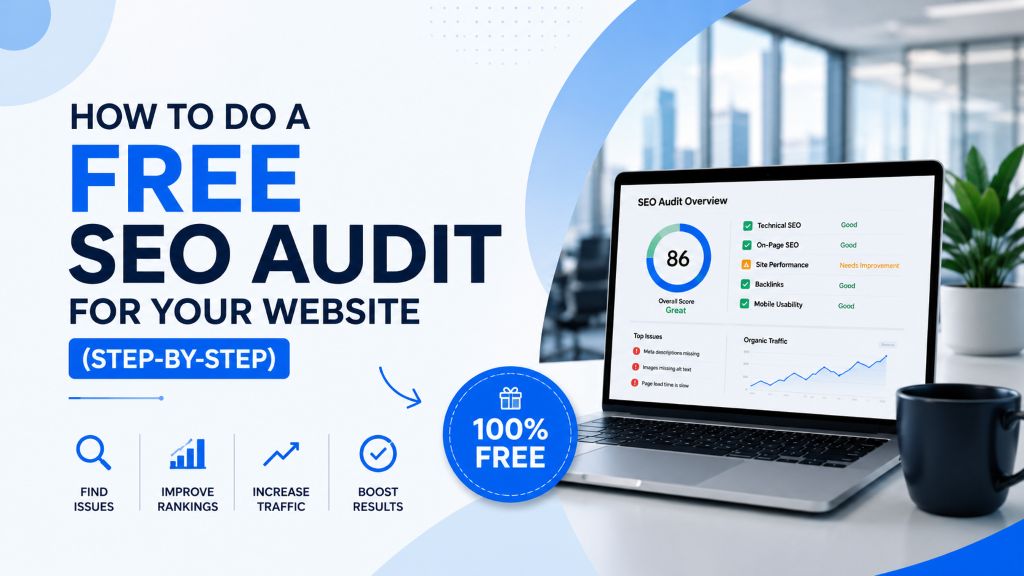
Quick answer: A free SEO audit checks five areas of your website — technical health (crawlability, speed, mobile-friendliness), on-page elements (titles, headings, schema), content quality, backlinks, and, as of 2026, AI-search readiness (structured data and llms.txt) — using free tools like Google Search Console and PageSpeed Insights. Most small business websites can complete a basic self-audit in under an hour using the checklist below.
Before you spend a single rupee on SEO services, ads, or content, you need to know one thing: what’s actually wrong with your website right now. Most websites lose traffic not because of one big issue, but because of a handful of small, fixable problems — a missing title tag here, a broken link there, a page that takes eight seconds to load.
The good news is you don’t need expensive tools or technical expertise to find most of these issues. This guide walks you through a complete, free SEO audit you can run yourself in under an hour, covering technical SEO, on-page SEO, content quality, backlinks, and — new for 2026 — whether your site is even readable by AI search engines.
What Is an SEO Audit?
An SEO audit is a systematic review of your website to identify what’s helping (or hurting) your ability to rank on Google. A good 2026 audit checks five core areas:
- Technical SEO — Can Google crawl, index, and load your site properly?
- On-Page SEO — Are your titles, headings, content, and structured data optimized?
- Content Quality — Is your content actually useful and complete enough to rank?
- Off-Page SEO — Do other websites trust and link to yours?
- AI Search Readiness — Can AI Overviews, ChatGPT, and Perplexity actually parse and cite your content?
Let’s go through each one.
Part 1: Technical SEO Audit {#technical}
Check if Google Can Find and Index Your Pages
- Go to Google Search Console (free) and check the “Pages” report under Indexing.
- Look for pages marked “Not indexed” — these won’t appear in search results at all.
- Common causes: accidental “noindex” tags, blocked pages in robots.txt, or duplicate content issues.
Test Your Site Speed
- Use Google PageSpeed Insights or Google Search Console’s Core Web Vitals report — both are free.
- Pay attention to Largest Contentful Paint (LCP) and Cumulative Layout Shift (CLS) scores on mobile, since Google primarily uses mobile-first indexing.
- Common fixes: compress images, enable browser caching, and remove unused plugins or scripts.
Check Mobile-Friendliness
- Open your site on an actual phone, not just a desktop browser resized smaller.
- Check that text is readable without zooming, buttons are tappable, and nothing overflows the screen.
- Google’s Core Web Vitals report in Search Console also flags mobile usability issues directly.
Find Broken Links and Redirect Chains
- Use a free tool like Screaming Frog (free up to 500 URLs) or Ahrefs Webmaster Tools (free for verified site owners) to crawl your site.
- Fix or redirect any broken internal links (404s).
- Avoid long redirect chains (A → B → C) — redirect directly to the final destination.
Verify Your XML Sitemap and Robots.txt
- Confirm your sitemap exists at
yourdomain.com/sitemap.xmland is submitted in Google Search Console. - Check
yourdomain.com/robots.txtto make sure you’re not accidentally blocking important pages from being crawled.
Part 2: On-Page SEO Audit {#onpage}
Review Title Tags and Meta Descriptions
- Every page should have a unique title tag under roughly 60 characters that includes its target keyword.
- Every page should have a unique meta description under roughly 155 characters that encourages a click.
- Use Search Console’s “Performance” report to spot pages with high impressions but low click-through rate — often a sign of a weak title or description.
Check Your Heading Structure
- Each page should have exactly one H1 that clearly states the page’s topic.
- Use H2s and H3s to organize subtopics logically — this helps both readers and Google understand your content structure.
Confirm Keyword Targeting
- Identify the primary keyword each important page is trying to rank for.
- Make sure that keyword (or a natural variation) appears in the title, the H1, the first paragraph, and at least one subheading.
- Avoid keyword stuffing — write naturally; Google’s systems are very good at detecting unnatural repetition.
Check Image Optimization
- Confirm every meaningful image has descriptive alt text (helps accessibility and image search visibility).
- Compress images to reduce file size without visibly hurting quality — large images are one of the most common causes of slow load times.
Review Internal Linking
- Make sure your most important pages (services, key blog posts) are linked from multiple places on your site, not buried three clicks deep.
- Use descriptive anchor text rather than generic “click here” links.
Check Your Structured Data (Schema Markup)
- Run your key pages — homepage, service pages, top blog posts — through the Schema Markup Validator to confirm any existing structured data has no errors.
- If you have none yet, prioritize
OrganizationorLocalBusinessschema sitewide,FAQPageschema on pages with Q&A content, andArticleschema on blog posts — this is one of the clearest, lowest-effort ways to help both Google’s rich results and AI systems parse your content accurately.
Part 3: Content Quality Audit {#content}
Identify Thin or Outdated Content
- Flag any page under roughly 300 words that’s meant to rank for a competitive keyword — it likely needs expansion.
- Flag any post older than 12–18 months covering a topic that changes over time (pricing, trends, “best of” lists) — these need a refresh.
Check for Search Intent Match
- For each key page, search its target keyword on Google and look at what’s currently ranking.
- Ask: does my content match the format searchers seem to want (a list, a guide, a comparison, a tool)? If competitors all have step-by-step guides and yours is a short overview, that mismatch is likely hurting your ranking.
Look for Duplicate or Near-Duplicate Content
- Check whether multiple pages on your site target the same keyword — this causes “keyword cannibalization,” where pages compete against each other instead of one ranking strongly.
- Consolidate or differentiate overlapping pages where needed.
Part 4: Off-Page SEO (Backlink) Audit {#backlinks}
Check Your Current Backlink Profile
- Use Google Search Console’s Links report (free) or Ahrefs Webmaster Tools (free for verified sites) to see which sites currently link to you.
- Look for any suspicious, spammy, or irrelevant sites linking to you — these can be flagged for disavowal in extreme cases.
Benchmark Against Competitors
- Search your main target keywords and identify who’s ranking above you.
- Check what kind of sites link to them (free tools like Ahrefs’ limited backlink checker can give a partial view) — this reveals realistic link-building opportunities, like local directories, guest posts, or industry partnerships.
Part 5: AI Search Readiness Audit (New for 2026) {#ai-readiness}
Traditional rankings aren’t the only visibility that matters anymore. A growing share of searches now surface an AI-generated answer before the classic results list, and being cited there depends on different things than ranking #1 does. Add these checks to your audit:
- Test whether AI engines already know about you. Ask ChatGPT, Perplexity, or Google directly (in AI Mode) a question your business should have a good answer to, and see whether you’re mentioned or cited at all.
- Check for an
llms.txtfile atyourdomain.com/llms.txt. This is an emerging convention that gives AI crawlers a clear, structured summary of your site’s key content — not yet universally adopted, but low-effort to add and forward-looking. - Confirm your key pages answer questions directly. AI Overviews favor content with clear, standalone answers near the top of a page (a “quick answer” callout) and structured FAQ sections — audit your top pages for whether a reader (or an AI system) could extract a clean answer in the first few lines.
- Re-check your schema markup (Part 2 above) specifically through this lens —
FAQPageandArticleschema are what make your content easiest for AI systems to parse and cite confidently, not just for Google’s classic rich results. - Check your GA4 referral traffic for visits arriving from chatgpt.com, perplexity.ai, or similar sources — one of the few free ways to see whether AI assistants are actually sending you visitors.
For a deeper look at this shift and what it means for content strategy more broadly, see Generative Engine Optimization (GEO) Explained and SEO Didn’t Die in 2026.
Free SEO Audit Checklist (Quick Reference) {#checklist}
| Area | Check |
|---|---|
| Technical | All important pages indexed in Search Console |
| Technical | Mobile and desktop Core Web Vitals are healthy |
| Technical | Site passes the mobile-friendliness check |
| Technical | No major broken links or redirect chains |
| Technical | Sitemap and robots.txt correctly configured |
| On-page | Every page has a unique, optimized title tag and meta description |
| On-page | Every page has one clear H1 and a logical heading structure |
| On-page | Target keywords appear naturally in key on-page elements |
| On-page | Images have alt text and are properly compressed |
| On-page | Internal links connect to your most important pages |
| On-page | Schema markup is present and error-free on key pages |
| Content | No thin or significantly outdated content on key pages |
| Content | Content format matches what’s already ranking for your keywords |
| Content | No major keyword cannibalization between pages |
| Backlinks | Backlink profile reviewed for spammy or harmful links |
| AI readiness | Key pages answer their main question in the first few lines |
| AI readiness | llms.txt file exists (or is on the roadmap) |
| AI readiness | FAQ/Article schema present on relevant pages |
Want the tools behind every check above, already linked and ready to use? See our Top 10 Free SEO Tools for Small Businesses in 2026.
When Should You Hire an SEO Company Instead of Auditing Yourself?
A self-audit using this checklist is enough to catch the most common, surface-level issues. However, deeper problems — keyword cannibalization across dozens of pages, backlink toxicity, or technical SEO issues specific to ecommerce platforms with thousands of product pages — often need a professional SEO consultant with access to paid tools and pattern-recognition built from auditing many sites. If your website is a growing ecommerce store, an ecommerce SEO audit in particular needs to check faceted navigation, duplicate product/category URLs, and crawl budget — issues a generic checklist won’t fully surface. Our guide to Technical SEO Mistakes covers several of these deeper issues in more depth.
How Often Should You Audit Your Website?
A full audit every 6 months is a reasonable baseline for most small business websites, with lighter monthly checks on speed, indexing, and Search Console errors in between. If you’re actively publishing content or just launched a new site, check indexing and technical health monthly for the first few months.
Final Thoughts
You don’t need an expensive tool subscription to understand the health of your website — Google Search Console and PageSpeed Insights alone will surface most of the issues holding you back, and the AI-readiness checks above cost nothing but a few minutes. The real value of an SEO audit isn’t the checklist itself, though — it’s having a clear, prioritized list of what to fix first.
Want a professional second opinion?
ZestRank is an SEO company in Delhi offering in-depth audits that go beyond free tools — covering technical SEO, content gaps, AI-search readiness, and backlink opportunities specific to your industry and competitors. Whether you need a small business SEO review or a full ecommerce SEO audit, our team can help. As a full-service digital marketing agency in Delhi, we also support local SEO, PPC, and social media if your audit reveals gaps beyond SEO alone. Get your free SEO audit and we’ll send you a clear, prioritized action plan.
Frequently Asked Questions {#faqs}
How do I audit my website for SEO for free?
You can run a complete SEO audit using only free tools — Google Search Console for indexing and performance, PageSpeed Insights for speed, and a crawler like Screaming Frog (free up to 500 URLs) for technical issues like broken links and duplicate content.
How long does an SEO audit take?
A basic self-audit using the checklist in this guide typically takes 45 minutes to an hour for a small website. A professional, in-depth audit covering competitor analysis and backlink review usually takes a few days to complete properly.
What’s the difference between a technical SEO audit and a content audit?
A technical SEO audit checks whether Google can properly crawl, index, and load your site (speed, mobile-friendliness, broken links). A content audit checks whether your existing pages are thorough, relevant, and well-matched to what searchers and Google expect for each keyword.
Should an SEO audit check for AI search visibility too?
Yes, increasingly. Alongside traditional technical and on-page checks, it’s worth confirming your key pages have clear, extractable answers, proper schema markup, and (optionally) an llms.txt file — all of which affect whether AI Overviews and chat-based assistants can parse and cite your content.
Do I need to fix everything an SEO audit finds?
No — prioritize based on impact. Indexing issues and broken pages on important content should be fixed first, since they directly block visibility. Smaller on-page tweaks can be addressed gradually.
About the Author: Rohit Nandan
Founder & Lead Digital Marketing ConsultantRohit Nandan is ZestRank's Founder & Lead Digital Marketing Consultant and YouTube SEO Expert, with over 15 years of experience diagnosing and running search campaigns for businesses across Delhi NCR. He personally reviews ZestRank's client projects, with deep expertise in technical SEO infrastructure and YouTube optimization. Have a question about this post? Message Rohit directly on WhatsApp.
Free Consultation
Ready to see how these exact parameters can be configured to expand your physical business discovery indices?
Request Strategy Call WhatsApp Strategist