Top 10 Free SEO Tools Every Small Business Should Use in 2026

Rohit Nandan
Founder & Lead Digital Marketing Consultant
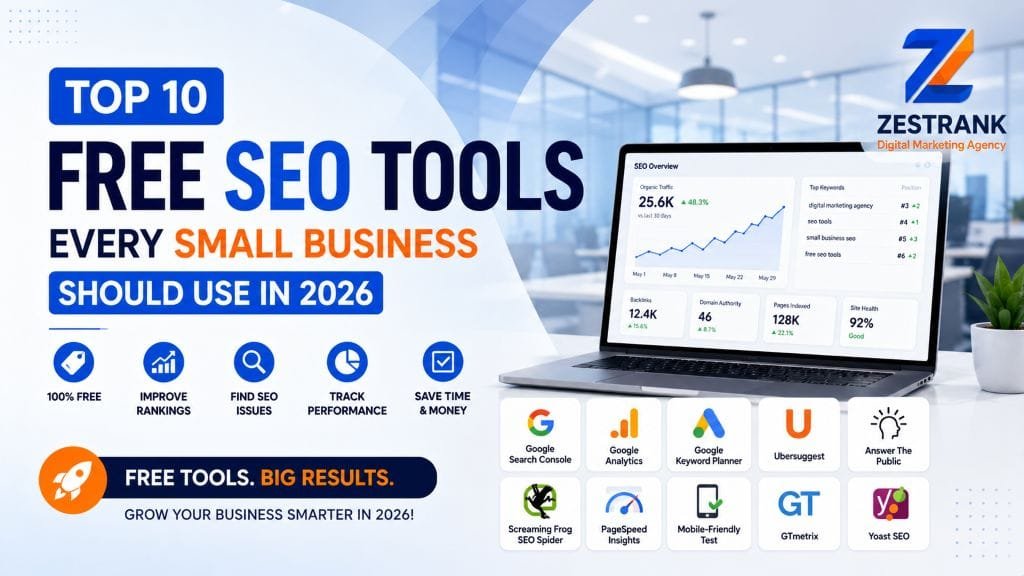
Quick answer: The best free SEO tools for small businesses in 2026 are Google Search Console, Google Analytics 4, Google PageSpeed Insights, Google Business Profile Manager, Google Keyword Planner, Google Trends, Ahrefs Webmaster Tools, Bing Webmaster Tools, AnswerThePublic, and the Schema Markup Validator — together they cover indexing, traffic, site speed, local visibility, keyword research, backlinks, and AI-search readiness without a single paid subscription.
You Don’t Need a Big Budget to Start Improving Your SEO
Before hiring anyone, most small businesses can make genuinely meaningful progress using free tools alone. The trick isn’t finding more tools — it’s knowing which ones actually matter and what specific problem each one solves. Here are the 10 we’d recommend using in 2026, in the order we’d set them up, with direct links so you can start using each one right away.
Quick Comparison Table {#quick-comparison}
| # | Tool | Best For | Link |
|---|---|---|---|
| 1 | Google Search Console | Indexing & ranking data straight from Google | Open tool |
| 2 | Google Analytics 4 | Traffic, conversions, and AI-referral tracking | Open tool |
| 3 | Google PageSpeed Insights | Core Web Vitals & mobile performance | Open tool |
| 4 | Google Business Profile Manager | Local Maps and “near me” visibility | Open tool |
| 5 | Google Keyword Planner | Keyword volume & competition data | Open tool |
| 6 | Google Trends | Topic timing & seasonal demand | Open tool |
| 7 | Ahrefs Webmaster Tools | Free backlink profile & site audit | Open tool |
| 8 | Bing Webmaster Tools | Bing & Microsoft Copilot visibility | Open tool |
| 9 | AnswerThePublic | Question-based content ideas for AEO | Open tool |
| 10 | Schema Markup Validator | Verifying structured data for AI Overviews | Open tool |
The 10 Tools, In Setup Order {#the-10-tools}
1. Google Search Console
Google Search Console is the single most important free SEO tool available to any website owner. It shows exactly how Google crawls, indexes, and ranks your site — including which queries you already show up for, any crawl errors, and whether your sitemap is being read correctly. If you only set up one tool from this list, make it this one.
2. Google Analytics 4 (GA4)
GA4 tracks your actual traffic and conversions — which pages people land on, how they move through your site, and whether they take the action you actually care about (a call, a form submission, a purchase). Search Console tells you how you’re found; GA4 tells you what happens once someone arrives.
A useful 2026-specific tip: check your referral traffic report for visits coming from chatgpt.com, perplexity.ai, and similar sources. This is one of the few free ways to see whether AI assistants are actually sending you visitors, not just citing you.
3. Google PageSpeed Insights
This measures your Core Web Vitals and mobile performance score directly from Google’s own testing infrastructure — the same signals that factor into both rankings and real-world conversion rates. It also covers mobile usability checks that used to live in a separate Mobile-Friendly Test tool, so this one page now handles both. Run your homepage and top service pages through it and fix whatever’s flagged as poor, especially on mobile.
4. Google Business Profile Manager
For any business with a physical location or defined service area, this free dashboard is arguably more valuable for local visibility than anything on your website itself. It’s where you manage your listing, respond to reviews, post updates, and see how customers are finding and interacting with your profile. If you’re a restaurant or local service business, this is also the tool behind everything in our local SEO guide for Delhi restaurants.
5. Google Keyword Planner (via a Free Google Ads Account)
Even if you have no plans to run paid ads, a free Google Ads account gives you access to Keyword Planner, which shows rough search volume and competition data for keyword ideas — useful for deciding which blog topics or service pages are worth prioritizing.
6. Google Trends
Genuinely underused. Trends shows you whether interest in a topic or keyword is rising, falling, or seasonal — which is the fastest free way to check if a blog topic is actually worth your time before you write it, or to time seasonal content (festive-season offers, back-to-school, monsoon-related services) so it publishes when demand is climbing, not after it’s peaked.
7. Ahrefs Webmaster Tools (Free)
Most people know Ahrefs as an expensive paid platform, but its Webmaster Tools product is permanently free for verified site owners — and it’s genuinely deep: a full backlink profile for your own domain, a site audit for technical issues, and basic keyword tracking. The catch is it only analyzes your own site, not competitors, but for a small business auditing itself, that’s rarely a limitation.
8. Bing Webmaster Tools
Often skipped entirely, since most small businesses only think about Google. But Bing Webmaster Tools feeds both Bing search and Microsoft Copilot, and it’s a five-minute setup that many competitors simply haven’t bothered with — a low-effort way to pick up visibility they’re leaving unclaimed.
9. AnswerThePublic (Free Tier)
This tool surfaces the actual questions real people type into search engines around a given topic — genuinely useful for planning FAQ sections and blog content that matches how people search, which also happens to be exactly what helps with AEO (answer engine optimization) for voice and AI search. For a deeper look at that connection, see our Answer Engine Optimization playbook.
10. Schema Markup Validator
Once you’ve added structured data (FAQ, LocalBusiness, Service, or Menu schema) to your pages, this free validator checks it’s implemented correctly with no errors — a quick, essential check before assuming your schema is actually working and actually helping you get cited in AI Overviews.
Bonus: ZestRank’s Own Free SEO Tools {#bonus}
Beyond the 10 above, we also built our own free SEO tools specifically for small business audits — a fast way to get an initial read on your site’s health without needing to stitch together five different accounts.
Where to Go Next
For a deeper technical starting point once you’ve set these tools up, pair them with our Free SEO Audit Checklist and Technical SEO Mistakes guide. If AI search visibility is on your radar too, Generative Engine Optimization (GEO) Explained is a useful next read, and SEO Didn’t Die in 2026 covers the bigger shift these tools are helping you adapt to — and if Search Console shows queries with impressions but no clicks, Ghost Impression Keywords explains exactly what that means and what to do about it.
When to Move Beyond Free Tools {#when-to-hire}
Free tools give you real, honest visibility into what’s working and what isn’t — but actually fixing the issues they surface, especially ongoing technical work or ongoing local SEO management, is where most small businesses eventually want an SEO consultant in Delhi to take it over. See our SEO services or get a free audit if you’d rather have it professionally handled.
FAQs {#faqs}
Q: What is the best free SEO tool for beginners?
A: Google Search Console — it directly shows how Google crawls and ranks your site, and it’s completely free with no usage limits.
Q: Are free SEO tools enough, or do I need paid ones?
A: Free tools cover the fundamentals well. Ahrefs Webmaster Tools now closes a lot of the backlink-data gap for free, for your own site. Paid tools (full Ahrefs, SEMrush) mainly add competitor and multi-site analysis, which becomes more useful once you’re past the basics.
Q: How do I check my website’s SEO for free?
A: Use our Free SEO Audit Checklist alongside Google Search Console and PageSpeed Insights for a solid initial read.
Q: What free tool should I use for local SEO?
A: Google Business Profile Manager — it’s free, official, and arguably the single biggest lever for local ranking available to any business.
Q: Can free SEO tools help with AI search visibility (ChatGPT, Perplexity)?
A: Indirectly, yes — schema validators and Search Console both help ensure your content is structured cleanly, which also makes it easier for AI systems to parse and cite it confidently. GA4’s referral reports can also show you when AI assistants are actually sending traffic, not just citing you.
Q: Do I need to hire an agency if I’m already using free SEO tools?
A: Not necessarily for the basics — but ongoing technical fixes, content strategy, and local SEO management usually benefit from professional help once your site and traffic grow.
Follow ZestRank on Google
Add ZestRank as your preferred source to see our latest SEO & AI search updates first in Google Search.
About the Author: Rohit Nandan
Founder & Lead Digital Marketing ConsultantRohit Nandan is ZestRank's Founder & Lead Digital Marketing Consultant and YouTube SEO Expert, with over 15 years of experience diagnosing and running search campaigns for businesses across Delhi NCR. He personally reviews ZestRank's client projects, with deep expertise in technical SEO infrastructure and YouTube optimization. Have a question about this post? Message Rohit directly on WhatsApp.
Free Consultation
Ready to see how these exact parameters can be configured to expand your physical business discovery indices?
Request Strategy Call WhatsApp Strategist
- Ultra-fast NVMe storage & LiteSpeed cache
- Free domain, SSL & daily backups
- Extra 10% off with coupon: 1ROHIT89
Starts at ₹139/mo* • 30-day money-back guarantee