12 Technical SEO Issues & Mistakes That Are Killing Your Rankings in 2026
Rohit Nandan
Founder & Lead Digital Marketing Consultant
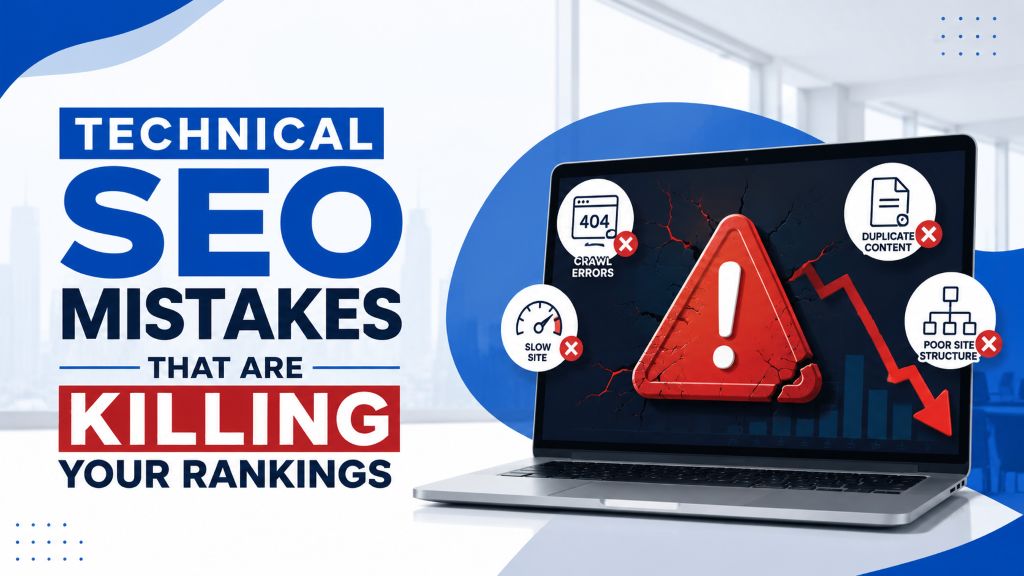
Quick answer: Technical SEO mistakes are issues with a website’s infrastructure — slow load times, blocked pages, broken links, poor mobile usability, or content invisible to AI crawlers — that prevent search engines and AI systems from properly crawling, rendering, or indexing it, regardless of how good the content is. In 2026, the newest and most overlooked category is AI crawler accessibility: a page can rank well on Google and still be completely invisible to ChatGPT, Claude, and Perplexity if its content depends on JavaScript those crawlers don’t execute.
You can write the best content on the internet, and it still won’t rank — or get cited by AI search — if Google can’t crawl your page properly, your site loads too slowly, or a stray line of code is accidentally blocking your most important pages. Technical SEO issues are often invisible to the average site owner. That’s exactly why they’re so common, and so damaging.
Here are the technical SEO mistakes we see most often in 2026, and how to identify and fix each one.
1. Blocking Important Pages in Robots.txt
A misconfigured robots.txt file can accidentally tell Google — or AI crawlers — not to crawl pages you actually want indexed.
How to check: Visit yourdomain.com/robots.txt and review the “Disallow” rules. In Google Search Console, use the URL Inspection tool on key pages to confirm they’re not blocked.
Fix: Remove any disallow rules blocking pages that should be indexed, and resubmit your sitemap once corrected.
2. Accidental “Noindex” Tags
A page can have a noindex meta tag left over from development or a CMS setting, silently excluding it from search results even though it’s fully visible to visitors. This is one of the most common technical SEO mistakes on WordPress sites specifically — a noindex tag left in from a staging environment, then pushed live.
How to check: Use Google Search Console’s “Pages” report under Indexing — look for pages marked “Excluded by noindex tag.”
Fix: Remove the noindex tag from any page meant to rank, and request reindexing through Search Console.
3. Slow Page Load Speed
Page speed directly affects both rankings and user experience — slow-loading pages see higher bounce rates, which compounds the ranking impact. AI crawlers are less patient than Googlebot: pages that take more than 3–4 seconds to load risk being abandoned before they’re even read.
How to check: Run your key pages through Google PageSpeed Insights or check the Core Web Vitals report in Search Console.
Fix: Compress and properly size images, enable browser caching, minimize unused JavaScript/CSS, and consider a faster hosting plan or CDN if server response time is consistently slow.
4. Poor Mobile Usability
Google primarily uses mobile-first indexing, meaning it largely evaluates your site based on its mobile version, not desktop — and most AI crawlers evaluate the mobile version by default too. A site that works perfectly on desktop but breaks on mobile loses visibility across both traditional search and AI answers.
How to check: Test key pages directly on a phone, and review the Mobile Usability section in Search Console for flagged issues.
Fix: Ensure text is readable without zooming, buttons are properly spaced for tapping, and content doesn’t overflow the viewport.
5. Duplicate Content Across Pages
Multiple pages targeting the same or very similar content confuse Google about which version should rank, often resulting in neither ranking well.
How to check: Use a crawler like Screaming Frog to identify pages with near-identical title tags or content blocks.
Fix: Consolidate overlapping pages, or use canonical tags to indicate which version should be treated as the primary one.
6. Broken Links and 404 Errors
Broken internal links waste crawl budget and create a poor user experience, while unresolved 404s on pages that should exist can lose accumulated ranking value.
How to check: Crawl your site with Screaming Frog or check the Pages report in Search Console for 404 errors.
Fix: Fix or update broken internal links, and set up proper 301 redirects for any pages that have permanently moved or been removed.
7. Missing or Incorrect XML Sitemap
An outdated or broken sitemap can prevent Google from efficiently discovering new or updated pages.
How to check: Visit yourdomain.com/sitemap.xml and confirm it loads correctly and includes your current, important pages, each returning a 200 status and pointing to the canonical version. Check the Sitemaps report in Search Console for errors.
Fix: Regenerate and resubmit an accurate sitemap, typically handled automatically by most modern CMS SEO plugins. If your sitemap includes broken URLs, redirect chains, or noindexed pages, you’re wasting crawl budget on pages that will never rank.
8. Redirect Chains
When Page A redirects to Page B, which redirects to Page C, each extra hop adds load time and dilutes link equity passed through the chain.
How to check: Crawl your site to identify any URLs with multiple sequential redirects.
Fix: Update redirects to point directly to the final destination URL in a single hop.
9. Unoptimized Core Web Vitals
Largest Contentful Paint (LCP), Cumulative Layout Shift (CLS), and Interaction to Next Paint (INP) are specific page-experience metrics Google uses as ranking signals. The 2026 thresholds to aim for: LCP under 2.5 seconds, INP under 200 milliseconds, and CLS below 0.1.
How to check: Review the Core Web Vitals report in Search Console, segmented by page type.
Fix: Address the specific failing metric — for CLS, this often means reserving space for images/ads before they load; for LCP, optimizing your largest visible element’s load time.
10. JavaScript Rendering and Hydration Issues
This is the newest technical pillar, and most guides published before 2026 still skip it. Crawling and rendering are two separate steps — a page can be successfully crawled and still lose its content at the rendering stage if critical text, links, or metadata only appear after JavaScript executes. Google clarified in December 2025 that pages returning a non-200 status code may skip the rendering queue entirely, so broken pages can silently fail before rendering is even attempted.
How to check: View-source on key pages and confirm headings, body copy, and internal links are present in the raw HTML before JavaScript runs. Use the URL Inspection tool’s live test to see the DOM Google actually renders. Check your browser console for React/Vue hydration warnings after deployment — these indicate a mismatch between server-rendered and client-rendered HTML that can make content invisible to crawlers.
Fix: Implement server-side rendering (SSR) or static site generation (SSG) for indexable pages built on React, Vue, Next.js, or similar frameworks. Avoid content hidden behind onClick handlers (accordions, tabs, “read more” toggles) — it should render in the DOM, not inject only on interaction.
11. Blocking AI Crawlers From Reading Your Site
This is the gap most technical SEO checklists still miss, and it’s a big one: a recent industry study of over a million AI citations found that 73% of sites had technical barriers blocking AI crawler access — robots.txt rules, CDN/WAF challenges, and JavaScript rendering being the three most common causes. Unlike Googlebot, major AI crawlers — GPTBot (OpenAI), ClaudeBot (Anthropic), and PerplexityBot — largely don’t execute JavaScript. A React or Angular site can rank on page one of Google and still never appear when someone asks ChatGPT, Claude, or Perplexity the same question, because those crawlers read only the raw HTML your server sends and stop there.
How to check: Check robots.txt for explicit blocks on GPTBot, OAI-SearchBot, ChatGPT-User, ClaudeBot, and PerplexityBot. Then repeat the view-source check from item 10 specifically for your highest-value pages — if the content isn’t in the raw HTML, AI crawlers won’t see it even if Google does.
Fix: Allow the key AI crawlers in robots.txt unless you have a specific reason to block them. Fix the underlying rendering issue (see item 10) rather than relying on llms.txt as a substitute — current evidence from major search figures and independent studies indicates llms.txt is not currently treated as a citation-ranking signal by the major AI search systems, even though it can still serve as useful documentation for your own team. This kind of visibility work overlaps closely with dedicated AI search optimization, and it’s worth reading about where brands get AI search wrong in 2026 and our Generative Engine Optimization (GEO) explainer for the fuller picture.
12. Missing or Outdated Structured Data (Schema Markup)
Without schema markup, Google and AI systems have to infer page context entirely from text. Note that Google retired FAQ rich results from the search results page in May 2026 — so FAQ schema no longer produces the expandable dropdown in Google Search the way it once did. It’s still worth implementing, though: FAQ and other structured data continue to help AI systems like Google AI Mode and Perplexity parse and cite your content accurately, even without a classic rich-result payoff in Google.
How to check: Use Google’s Rich Results Test on key pages.
Fix: Add relevant schema (Article, LocalBusiness, Product, Breadcrumb, Organization) matching the actual visible content on the page, and treat FAQ schema as an AI-parsing aid rather than a Google rich-result play going forward.
How Often Should You Check for Technical SEO Issues?
Run a full technical crawl every 2–3 months, and check Search Console’s Indexing and Core Web Vitals reports monthly. If you have access to server logs, a periodic log-file review is worth the effort too — logs show which URLs Googlebot (and AI crawlers, where identifiable) are actually visiting, which regularly exposes crawl waste that no crawler simulation catches on its own. Technical issues tend to creep in gradually — a plugin update, a theme change, a new page template — so regular checks catch problems before they meaningfully affect rankings or AI visibility.
Final Thoughts
Technical SEO mistakes are some of the most damaging issues a website can have, precisely because they’re invisible to anyone just browsing the site normally. Fixing them doesn’t require new content or backlinks — just careful, systematic review of what’s already there, now extended to cover how AI crawlers see your site, not just Google. If your content strategy is otherwise solid, see our on-page SEO checklist for small businesses to make sure the content side is covered too, or check the signs your website needs an SEO overhaul if you’re not sure where to start.
Want a professional technical audit?
ZestRank offers dedicated technical SEO services for businesses across Delhi NCR, covering everything from crawl errors and Core Web Vitals to AI crawler accessibility. Not sure where your site currently stands? Start with our free SEO audit checklist or our free SEO tools. Get your free SEO audit and we’ll send you a prioritized list of exactly what to fix first.
Frequently Asked Questions
What is technical SEO?
Technical SEO refers to the behind-the-scenes optimization of a website’s infrastructure — crawlability, indexability, rendering, site speed, mobile usability, and structured data — that allows search engines and AI systems to properly access, understand, and rank or cite its content.
How do I know if my website has technical SEO issues?
Google Search Console is the most reliable free starting point — check the Pages (Indexing), Core Web Vitals, and Mobile Usability reports for flagged errors. A professional technical SEO audit can identify deeper issues, including AI crawler accessibility and rendering problems, that a quick check might miss.
Can technical SEO issues completely stop a website from ranking?
Yes, in severe cases. A page accidentally blocked in robots.txt or marked noindex won’t appear in search results at all, regardless of content quality, until the issue is fixed and the page is reindexed.
Does my site ranking well on Google mean it’s visible to AI search tools like ChatGPT?
Not necessarily. Google renders JavaScript, but GPTBot, ClaudeBot, and PerplexityBot largely read only the raw HTML your server sends. A site can rank on page one of Google and still be invisible to AI search if its key content depends on client-side rendering.
Does FAQ schema still help my SEO in 2026?
It no longer produces the expandable FAQ dropdown in Google’s search results, since Google retired that rich result in May 2026. It’s still worth adding, though, since structured data continues to help AI systems parse and cite your content accurately.
How much does it cost to fix technical SEO issues?
Costs vary depending on the scope and complexity of the issues found — some fixes (like correcting a robots.txt file) take minutes, while others (like server-side rendering migration or a full site restructure) require more significant investment. A proper audit first helps prioritize and estimate realistic costs — see our SEO packages and pricing in Delhi for a starting reference.
What are the most common technical SEO problems on WordPress sites specifically?
Plugin conflicts causing duplicate content, accidental noindex tags left over from staging environments, unoptimized images bloating page weight, and missing or outdated schema markup are the technical SEO problems we see most often on WordPress sites.
Have a question about this post? Message Rohit directly on WhatsApp or book a free strategy call. For more breakdowns like this, browse the ZestRank blog, or learn more about our team.
Avoiding technical mistakes is critical, especially in competitive regional markets. Learn how our SEO agency in Ghaziabad helps industrial and retail businesses dominate local search.
About the Author: Rohit Nandan
Founder & Lead Digital Marketing ConsultantRohit Nandan is ZestRank's Founder & Lead Digital Marketing Consultant and YouTube SEO Expert, with over 15 years of experience diagnosing and running search campaigns for businesses across Delhi NCR. He personally reviews ZestRank's client projects, with deep expertise in technical SEO infrastructure and YouTube optimization. Have a question about this post? Message Rohit directly on WhatsApp.
Free Consultation
Ready to see how these exact parameters can be configured to expand your physical business discovery indices?
Request Strategy Call WhatsApp Strategist